
It’s been a while since we introduced a new file manager, and this one is called Multi Commander. It’s a simple two-panel, tabbed alternative to Windows Explorer. It used to be a paid application, but that has changed; we now get it for free, which is nice. You can get it from the complete news, including the portable version.
The interface is typical of this type of software: two panels side by side, making it simple to move files back and forth. Tabs allow you to have numerous folders open at once. All normal functions are available, such as copying, moving, renaming, and deleting.
Multi Commander has an image and text file viewer, an archiver that can handle ZIP and RAR archives, and FTP connections, which allow you to connect to remote servers just like conventional folders.
Batch file renaming, a built-in search with filters, registry manipulation, and programmable hotkeys can all help you save time. The interface is customizable, allowing you to modify the color scheme, panel arrangement, and add desired buttons to the panel.
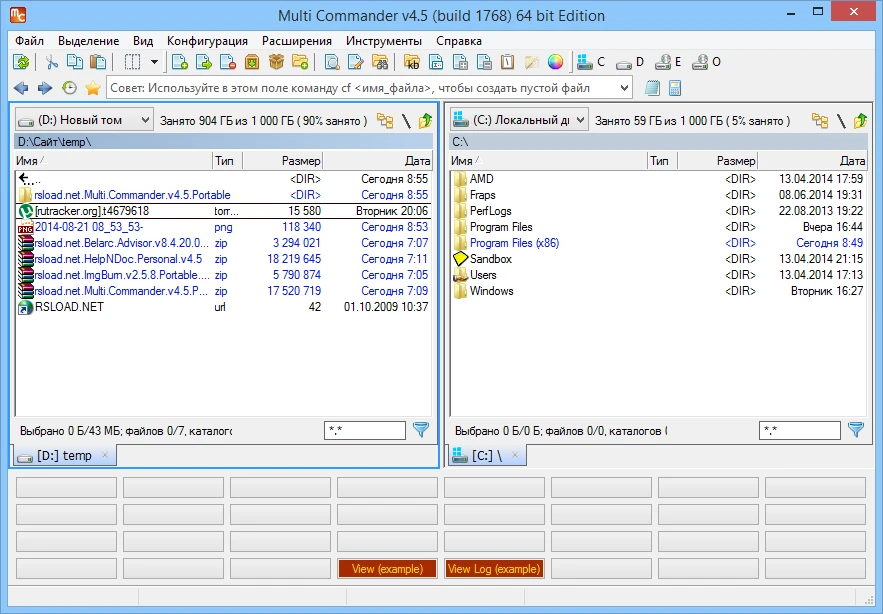
The program is lightweight, launches quickly, and runs smoothly on low-end PCs. There is a portable version that can be loaded onto a flash drive and run from anywhere.
If Windows Explorer is too sluggish, this freeware will fix it.
The tabbed system lets you open multiple windows in a single panel, which is quite convenient; I always have it set up this way. Built-in caching allows you to explore files faster. Multi Commander allows you to personalize the interface’s appearance. You can customize the main window’s background, color, and other settings, as well as add plugins and configure access privileges to other folders. Don’t forget about the large number of viewers, which allows you to view not only images, but also documents and audio. In summary, I could write a lot about Multi Commander because it has numerous features. You can learn more about everything on the official website, but I’ll end this little assessment here.