
NTWind’s Close All Windows application allows you to close numerous running programs at once swiftly. If you have a lot of windows on your screen at the end of the day and are too lazy to dismiss them all, this is an excellent tool. Instead of clicking repeatedly, open the main list and select the desired applications.
The app displays active windows after it has launched. By default, you can select the entire list; closing everything is optional. Uncheck the programs that you want to keep running. This is more handy than merely forcing processes to close because the utility sends the usual close instruction to apps.
If an unsaved document remains in an editor or other program, the utility may display the standard save prompt. Don’t think of Close All Windows as a tool for eliminating processes. It’s straightforward; its goal is to neatly and swiftly close selected windows with Windows capabilities.
Long lists can be searched using a partial name. Programs can be sorted and grouped, and icons can be sized large or small. There are minimal settings, and the software takes up approximately 4 MB.
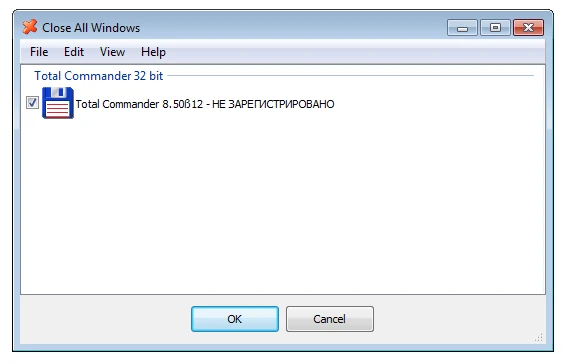
During installation, you can build any necessary shortcuts and decide whether to make them available to all users. To ensure correct execution with elevated rights, the developer suggests placing the software under the system’s software Files directory.
Pros:
- Close numerous applications,
- choose windows with checkboxes,
- search by title and header,
- group and sort the list,
- customize icon size,
- and minimize program size.
Similar:
AutoHotkey allows you to create your own window-closing script; harder to understand.
Answers to Questions:
Is the utility closing everything without warning?
Applications may seek to save updated documents. Can I leave a few windows open?
Yes, uncheck the appropriate programs.