
HashTools is a tiny utility that calculates file checksums. It is basic and straightforward. Run the downloaded image, package, installer, or document to validate its integrity. If the resulting hash matches the one you specified, the data is correct, and no files were damaged during the download.
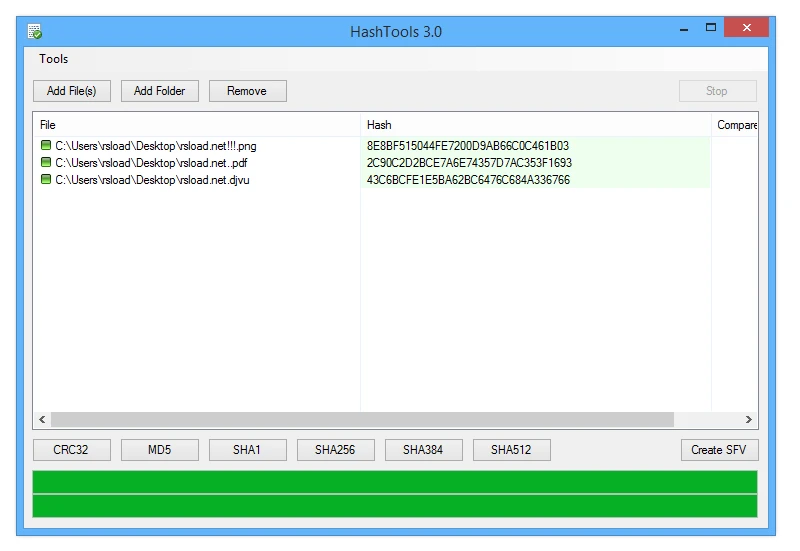
The software supports a variety of algorithms, including CRC32, MD5, SHA1, SHA256, and more. In batch mode, you can add multiple files and generate a checksum for each.
HashTools is incredibly simple to use. To get started, drag and drop the files into the window or add them from the menu, then choose an algorithm and execute the calculation. The resulting value can be copied directly to the clipboard. Results can be exported to an SFV file, which is commonly used to store and then validate CRC32 sums.
HashTools can also help you compare files. For example, if two copies have the same name and size, this is OK, but it does not guarantee that their contents are similar. Even minor data changes produce a different checksum, making the difference easy to detect without manual inspection.
The interface is simple: you see a file list, algorithm selection, and results all in one window. Depending on the edition, the Russian language may not be available, which can lead to confusion. A portable version is available, allowing you to run it without requiring a full installation.
Pros:
- Supports six major methods and calculates hashes for multiple files.
- Copying Results to the Clipboard
- Export checksums to SFV.
- A simple window without extraneous options.
- Availability of a portable version
Similar:
OpenHashTab – integrates hash calculation directly into Windows file properties.
HashMyFiles – a tiny portable utility with batch processing.
Answers to Questions:
Can I check several files at once?
Yes, add them to the window and select your preferred algorithm. Does
Can a hash match ensure security?
No, it only confirms the identity of the data; it does not replace antivirus scanning.