
VoxShift Overview
It is a modern Windows application that allows users to translate spoken language in real time while producing natural-sounding translated voice output. It is optimized for NVIDIA CUDA-capable PCs and combines speech recognition, language translation, and voice synthesis into a unified workflow. Whether you’re chatting with international pals, streaming content, creating films, or attending online meetings, the program simplifies cross-language communication. The platform prioritizes local-first processing, meaning most files, settings, recordings, subtitles, and created material are stored on the user’s computer. This technique improves privacy and control over personal data while delivering high performance for real-time voice activities.
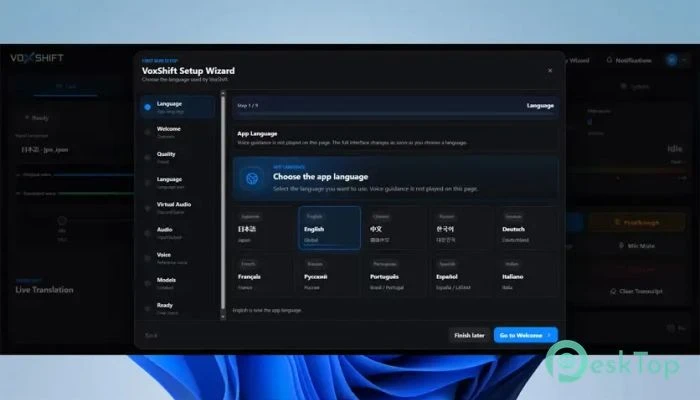
Features of VoxShift:
Real-time Voice Translation
The tool’s ability to translate speech in real time is one of its most striking features. It listens to audio from a specific microphone or input device and instantly converts spoken words into another language. The translated speech can subsequently be converted into voice output and supplied to other programs.
This functionality is highly valuable for gamers, streamers, content creators, customer service teams, and business professionals who interact with people across many areas. Instead of depending just on text-based translations, users can speak normally and receive translated responses nearly immediately.
AI Voice Generation Technology
The software goes beyond mere translation, producing lifelike voice output. After translating speech, it can produce spoken audio in the desired language. This makes interactions seem more genuine and interesting.
AI speech generation is powered by locally controlled models, which users can download and save to their PCs. Because the models are controlled locally, customers can maintain control of their systems while benefiting from superior speech synthesis capabilities.
Personalized Voice Output
The reference voice recording system is a unique feature. Users can record a sample voice to use as a reference for creating translated speech. This contributes to a more personalized experience and can bring generated sounds closer to a preferred speaking style.
Consider training an artist to paint your portrait the way you want. The reference recording serves as a guide for shaping the final audio output.
Noise cancellation improves audio quality.
Background noise can often degrade the quality of speech recognition and voice creation. To address this issue, the software offers built-in noise-cancellation technologies.
These capabilities help remove undesirable sounds, such as keyboard clicks, room noise, fans, and other environmental disturbances. Cleaner input leads to higher transcribing accuracy and more professional-sounding output.
Audio Monitoring and Routing
The monitor output capability enables users to hear generated audio before transferring it to other programs. This makes it easier to check quality and ensure that everything sounds right.
For more complex operations, the application can route translated audio to voice chat apps, games, streaming platforms, and recording software. In some cases, a virtual audio device, such as VB-Audio VB-CABLE, is required. The setup wizard guides users through the configuration and audio routing options.
OBS Subtitle Integration
Built-in OBS subtitle support benefits both content makers and streamers. The program can create subtitles for translated speech and include them in streaming workflows.
This function promotes accessibility and allows viewers to follow conversations more easily, even when multiple languages are spoken. It can be particularly useful for live broadcasts, internet events, and educational presentations.
Built-in Soundboard Features:
The built-in soundboard allows you to save and play audio clips easily. Users can categorize commonly used sounds and instantly access them when needed.
This feature is useful for live streaming, gaming sessions, online shows, and presentations where fast audio playback increases audience engagement.
Model Preparation and Setup Assistance
Getting started with AI-powered applications might be hard at times. To make the procedure easier, the software contains setup instructions and model readiness checks.
These tools help ensure that essential components are correctly installed and that the system is ready for voice translation and generation operations. This shortens troubleshooting time and allows people to concentrate on their tasks.
Privacy and Local Storage Advantages
Privacy remains a significant advantage of the platform. Audio recordings, translated text, subtitles, soundboard files, logs, and settings are all saved locally by default. This increases users’ confidence when handling personal or professional messages.
Instead of relying primarily on online storage, the software places critical information under the user’s control. For many users, the local-first strategy strikes a compromise between convenience, performance, and privacy.
Ideal Use Cases
The application is suited for a variety of circumstances. Gamers can speak with teammates in other nations. Streamers can reach an international audience. Businesses can enhance multilingual communication. Educators can create accessible learning experiences. Content creators can easily create translated voiceovers and subtitles.
Its capabilities include translation, speech synthesis, monitoring, routing, and subtitle support, making it a versatile solution for modern communication demands.
System Requirements and Technical Details
Operating System: Windows 11/10.
Processor: Minimum 1 GHz (2.4 GHz is preferred)
Graphics Processor: NVIDIA GPU VRAM 6GB (CUDA) (minimum), 12GB (CUDA) (recommended).
RAM: 8GB (16GB or more is recommended).
Free Hard Disk Space: 4GB or more is recommended.