
Localizing movies is typically a complicated problem that requires distinct tools for transcription, translation, and voice-over. Snap Video Translator integrates all steps into a single Windows software. Load your video, and the program will take you through transcription, AI translation, and final output. Choose between burning subtitles into the video and creating an AI voice-over in the target language. No more jumping between software or dealing with complicated workflows. Snap Video Translator delivers professional results in minutes, whether you’re a content creator targeting worldwide audiences, a business localizing commercials, or an instructor dubbing courses. One application. One workflow. There are an unlimited number of languages.
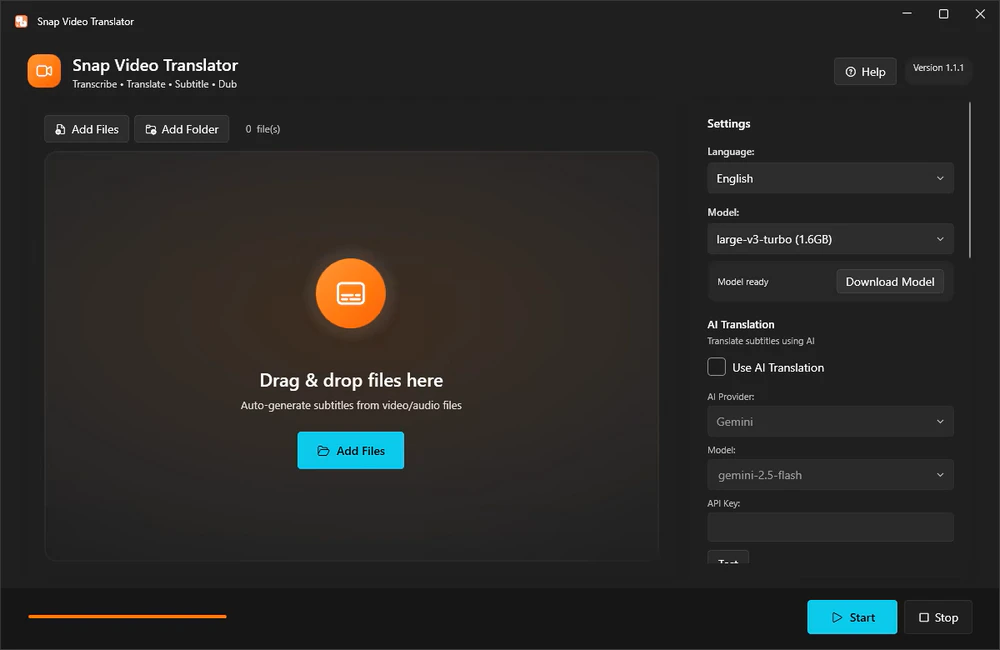
Features of Snap Video Translator:
Transcription (runs locally).
Run OpenAI Whisper on your own computer. To balance speed and precision, choose between small, medium, large-v3-turbo, and large-v3. Your audio is never transferred to an external site for transcription.
AI Translation
Works with AI services like Gemini, OpenAI, and Claude, as well as local LLMs that are OpenAI compatible. Creates natural translations of your video’s content.
To burn subtitles onto a video, adjust the font size, color, outline, and position.
AI dubbing
Converts the translation to speech and creates a voice-over in seven languages: Japanese, English, Chinese, Korean, French, German, and Spanish. Combine it with the original audio or replace it.
Subtitle file export
Export subtitle files in SRT or VTT format.
Review and edit mode.
Check the subtitle text on screen before burning it in and make any necessary changes.
Batch Processing
Process several videos at once.
Who is it for?
- Videomakers who want to reach audiences in other languages
- Education and training teams localize lectures and tutorials.
- Companies localize internal videos.
Before you start.
- Whisper transcribes your audio locally; no data is transferred.
- To use a cloud AI service for translation, you must first obtain its API key. You can also utilize an OpenAI-compliant local LLM.
- AI translation and dubbing both require an internet connection (dubbing does not require an API key).
- Artificial intelligence generates subtitles and dubbed audio. Please check the output before it is made public or used for business purposes.
- FFmpeg serves as the video processing engine.