Network Notepad is a straightforward software for producing network diagrams, connection plans, various diagrams, and technical layouts. Once launched and configured, you can plainly see how PCs, servers, routers, switches, and other devices are connected. The program displays IP addresses, adds labels, and can function with more than just network cards, making it ideal for block diagram creation.
To begin, enter the object library, select the suitable icon set, and drag the relevant items into the workspace. Adding icons is simple: choose an object, then click and drag it to the correct spot in the diagram. Following that, the elements can be freely arranged, aligned, and connected.
If an object ends up in the wrong area, you can relocate or delete it. You may also use formatting choices to adjust the entire design, which is useful if the diagram is developing and you need to make minor changes to the layout of components.
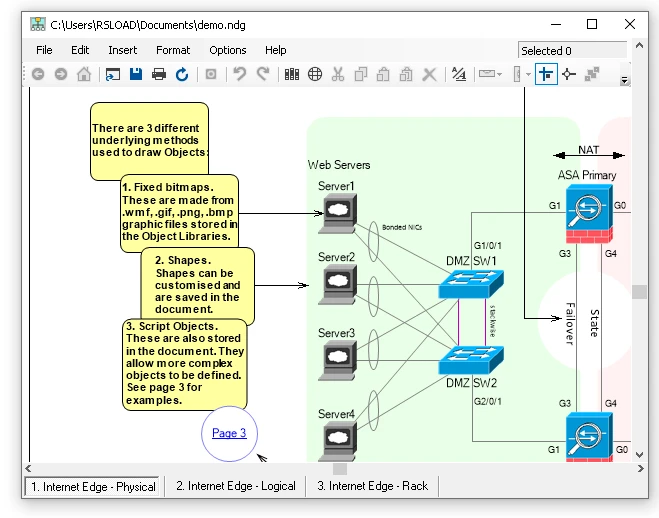
Features:
- You can modify the font color and text background.
- The diagram can display IP addresses, extend in both horizontal and vertical directions, and include text signatures.
- You can connect elements with lines to display the connections between devices.
- Network icon libraries are available to create understandable diagrams.
- The completed project can serve as a visual network plan.
Almost all of the procedures are identical to those of standard schematic editors, so you won’t need to spend much time getting used to them. The software will appeal to system administrators, network specialists, and users who need to quickly create a connection structure without using sophisticated protocols.