Are you tired of using slow, bloated media players that lack features? Look no further than Media Player Classic Black Edition (MPC-BE), a free and open-source media player that offers a smooth and configurable media playback experience.
What is the Media Player Classic Black Edition (MPC-BE)?
MPC-BE is a media player that builds on the original Media Player Classic (MPC) project. It was created by a group of developers that wanted to improve the original MPC player and add additional features to make it more usable and powerful. With its lightweight and highly adjustable design, the MPC-BE is ideal for media aficionados looking for a player that can play a variety of media file formats such as video, audio, and image files.
Key Features of the Media Player Classic Black Edition (MPC-BE)
MPC-BE is jam-packed with features that make it an ideal choice for media enthusiasts. Some of the important features are:
- MPC-BE supports a wide range of media file formats, including AVI, MP4, MKV, FLV, and many more.
- MPC-BE includes built-in support for subtitles, making it simple to watch movies and TV shows with subtitles.
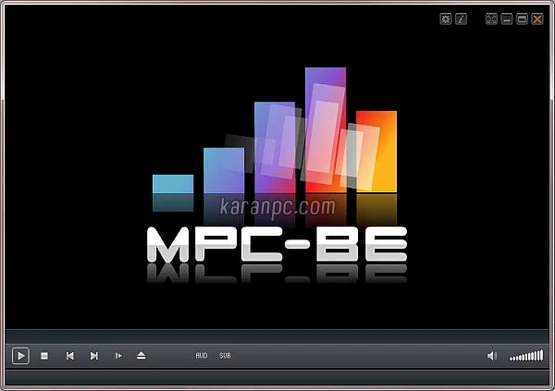
- MPC-BE features a variety of playback controls, including play, pause, stop, and seek, as well as possibilities to change the playback speed and audio parameters.
- MPC-BE includes several playlist management functions, such as the ability to build and manage playlists, as well as shuffle and repeat playback.
- MPC-BE offers a variety of customization options, including customized skins and layouts, as well as the ability to alter the player’s size, position, and transparency.
Advantages of using Media Player Classic Black Edition (MPC-BE).
MPC-BE provides a number of advantages, making it a fantastic choice for media fans. Some of the benefits are:
- MPC-BE is meant to be fast and lightweight, making it ideal for usage on older machines or those with limited resources.
- MPC-BE is highly adjustable, allowing users to tailor the player to their preferences.
- MPC-BE supports a broad variety of media file types, making it a good choice for media fans with a vast collection of media files.
- MPC-BE is free and open-source, making it a good choice for those seeking a media player devoid of advertisements and other annoyances.
How to Use the Media Player Classic Black Edition (MPC-BE)
Using MPC-BE is simple. Here is a step-by-step tutorial to help you get started:
- Download and install MPC-BE: Get the most recent version of MPC-BE from the official website and follow the installation instructions.
- Launch MPC-BE and pick the media file to play.
- Change the playback settings: Adjust the playing parameters to your liking, including the playback speed, audio, and subtitle options.
- Create and manage playlists. Create and manage playlists to organize and play your favorite media files.
Conclusion
The Media Player Classic Black Edition (MPC-BE) is an ideal choice for media aficionados who require a quick, lightweight, and fully customizable media player. MPC-BE is the ideal solution for anyone looking for a media player that can play media files without latency or stuttering. It supports a wide range of media file formats, has built-in subtitle support, and offers a variety of customization options. Download MPC-BE now and discover the potential of a customizable media player.