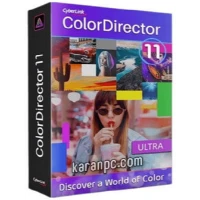
CyberLink ColorDirector Ultra is a robust Windows application that lets you enhance your films with professional color and lighting adjustments. Whether you’re a newbie or an expert video creator, this tool makes it simple to improve the appearance and feel of your work. ColorDirector Ultra lets you fine-tune colors, adjust lighting, and create stunning visual effects to help your videos stand out. It’s ideal for anyone wishing to leave a lasting impression and tell a compelling tale through video. Download CyberLink ColorDirector Ultra from the developer’s website today and take your video editing to the next level in just a few clicks!
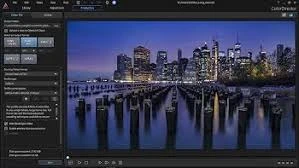
Features of CyberLink ColorDirector Ultra.
HDR Video
Apply HDR to your videos to increase dynamic range, bring out details, and emphasize your greatest footage.
Split Toning
Split toning is an old photography technique that has recently become a popular (and highly successful) addition to video editors’ toolkits.
Add precise colors to the highlights and shadows of a video.
A terrific method to inspire a certain vibe from your video footage, or perhaps achieve a dramatic effect
Built-in movie presets.
ColorDirector comes with a choice of built-in, professionally produced presets that replicate the styles of well-known films. You may also save any manual edits you make to a video as a preset to use in future projects.
Motion Tracking and Selection Masks
The intelligent motion tracking algorithm simplifies frame-by-frame object tracking. Precision selection masks allow you to properly select, isolate, and track several items, as well as adjust or enhance their colors.
Color Splash
Quickly add drama and attention to your videos by converting them to black and white while keeping certain areas in color—an excellent approach to capturing the viewer’s attention and making videos memorable.
Color Shift
Color Shift lets you completely modify the appearance of objects in your videos. Sliding the Color Wheel allows you to remap the colors in your video, giving it a completely distinct vibe.
360º Video Support.
ColorDirector allows you to import, edit, and export 360-degree video material. Cutting-edge technology accurately maintains edits across 360º video.
Round-trip editing in PowerDirector
To reduce your 360º video editing time. Use PowerDirector to edit raw video footage, then run ColorDirector from the PowerDirector interface to color-grade the clip, before returning it to PowerDirector for video rendering and production.
RGB Curves
Manually adjusting the tonal values of a video’s shadows, midtones, and highlights is an excellent technique for achieving the desired look.
Dynamic Keyframing
Color effects can be adjusted, and selection masks can be animated dynamically with high clarity and precision.
Noise Reduction and Sharpening
Noise Reduction eliminates unwanted artifacts, such as luminance (grain) and color noise, that impair video quality.
High Frame Rate Video Support
Professional color grading of action camera recordings is now easier thanks to the ability to import 120/240 fps slow-motion footage from your iPhone, GoPro, or other popular action sports cameras.
64-bit TrueVelocity 6 is improved.
ColorDirector supports native 64-bit and includes the award-winning TrueVelocity editing engine, which improves system efficiency and speeds up HD video loading.
Pre-rendering for Improved Previews NEW
Intelligent pre-rendering technology eliminates stuttering playback and missing frames when previewing your work with ColorDirector.