I’m on the internet. I’ve discovered software that makes dealing with AI easier. I had to switch between dozens of services for both text generation and image processing. Everything is now in one location. OpenAI, Google, and even DeepSeek Chinese have contributed hundreds of assistants to Cherry Studio. Link the API keys, and you’re done; there’s no need to install numerous apps or fumble about in the browser.
There are more than 300 models available, both paid and free, and the interface is straightforward. You can quickly switch to a different neural network if you are unhappy with its output. For instance, you can use DeepSeek Coder if GPT-4’s coding skills aren’t quite up to par. Use Stable Diffusion or Midjourney to create an anime-style image. You can add your own assistant if the one you require isn’t on the list.
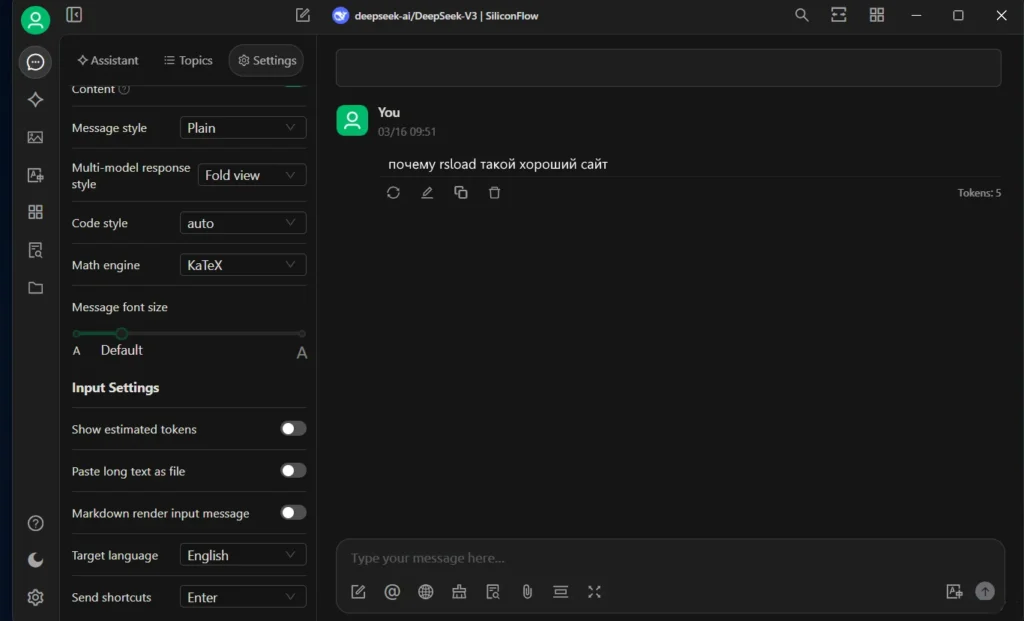
It’s easy to work with text, PDFs, code, and graphics, and they’ll help with that too. Additionally, they include batch-file processing, syntax highlighting, and diagram generation from descriptions. Because the AI graphically separates logical blocks and proposes adjustments right in the editor, it is convenient for programmers.
Through a WebDAV connection, data can be kept locally or in the cloud. Although manual cache clearing is an option, backups are generated automatically. If you’re utilizing more than ten models, the initial setup can be laborious because it takes time to set up the API. Later on, though, you save time.
The fact that some model defaults are out of date and you have to Google the most recent parameters appealed to me, as did the opportunity to compare replies from several AIs without switching tabs. Cherry Studio is available for free download below. Anyone who regularly works with five AIs will find the program appealing. All of this may not be necessary for one-time jobs, but it’s excellent for processing streaming data.