
TweakHub is a useful dashboard for tweaking and optimizing Windows 11. It combines system tweaking, recovery, and automation features in a single window. You won’t have to look for commands, scripts, or utilities separately—everything you need is pre-categorized and available right away.
You can get TweakHub for free here. Please keep in mind that the software is only compatible with Windows 11 version 22000 and above. If you use Windows 11, you are losing out.
The tool allows you to modify registry settings and easily adjust power settings. Naturally, before you do anything, the program helps you build a backup, validates changes, and allows you to roll back if necessary. It’s an excellent feature, so don’t be afraid to use it.
A separate section provides a handy way to launch PowerShell and CMD scripts. Before launching, you can inspect the contents of a command. It’s fine if you need to run it as administrator. You can also specify a timeout or stop the procedure. Proven DISM and SFC scripts are available to repair system components.
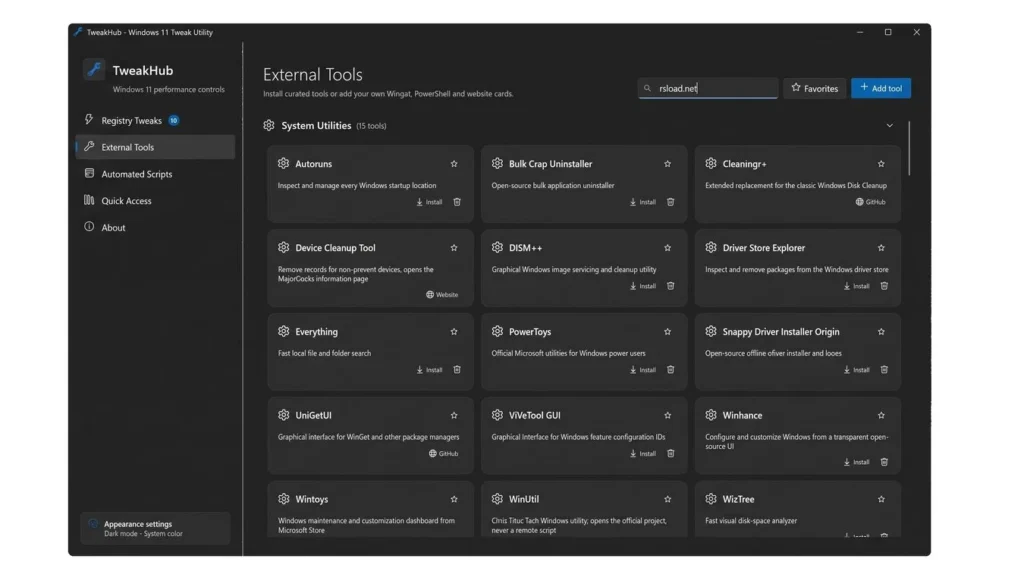
The Utilities area includes Winget apps, trusted HTTPS URLs, and user-defined tool cards. There is rapid access to the Windows management panels. Furthermore, all portable profiles contain scripts, customizations, and favorites, making it simple to transfer settings to another machine.
Pros:
- Backup and rollback of system adjustments.
- Run PowerShell and CMD programs with preview, including DISM and SFC repair routines.
- Winget offers a variety of apps and tools, as well as dark and light themes with customizable transparency.
- Checking for updates with the SHA-256 checksum.
Similar:
Winaero Tweaker includes more Windows settings but does not offer the same range of scripts and repair tools.
Answers to Questions:
Does the utility function with Windows 10?
No, you require Windows 11 22000+ or later.
Can I revert changes?
Of course, copies are made automatically, and you can revert if something goes wrong.