
The free Windows Auto Dark Mode application sets Windows 10 to Dark Mode at a set time of day. This setting is extremely soothing for the eyes and is excellent if, like me, you have to work on a computer at night or in the dark for extended periods.
With this software, you no longer need to enable Dark Mode manually. Enable the automatic switching option in the settings and decide when Windows 10 should switch to the dark theme and when to revert to the light theme.
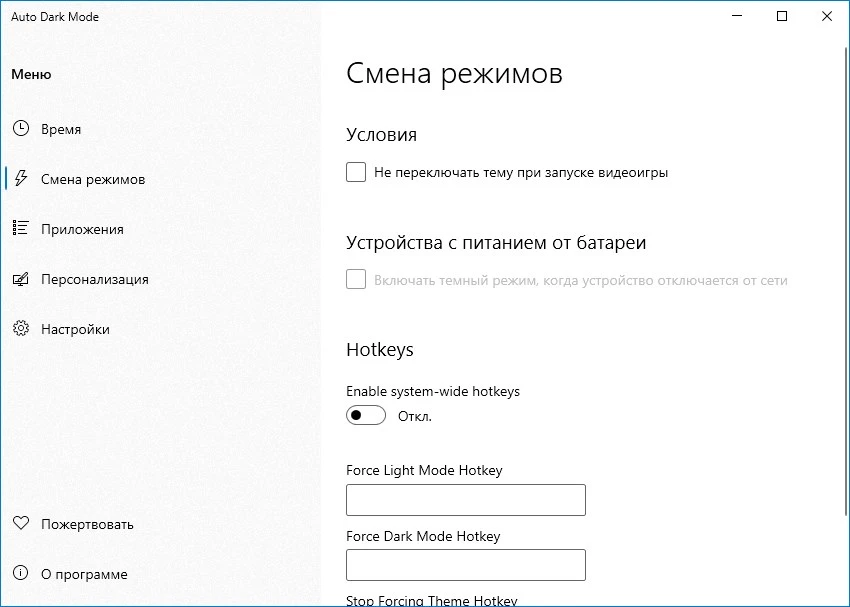
You may also set the time based on dawn and sunset. These times are automatically determined by the tool every day based on your location. “Auto Dark Mode” can also change the appearance of installed software, such as Microsoft Office, if necessary.
As shown in the screenshot, a Russian-language version is available and will be picked automatically based on your operating system’s localization settings. Overall, there are only a few settings, which are simple to understand.
If you don’t want to utilize software like CareUEyes Pro, try this portable utility instead. An installer version is also available, allowing you to select the option that best matches your needs.