
SpeedCommander Pro is a user-friendly file manager based on proven two-window technology. The source and target directories are always visible, making copy, move, and delete operations faster than in Windows Explorer. Navigate through files, directories, and FTP sites with lightning speed.
Aside from basic file operations, SpeedCommander Pro provides secure deletion in accordance with government regulations. The integrated Quick View feature displays images, videos, audio, and a variety of document formats immediately. FileSync synchronizes folders, whereas FileSearch finds anything on all disks.
Compressed archives function just like regular directories. SpeedCommander Pro supports all main archive formats, including direct compression and decompression, self-extracting archives, and data recovery for damaged archives. The modern Add-In interface via COM allows plugins to add menus, toolbars, and even additional file systems, such as Total Commander plugins (wfx) and PDA access via ActiveSync.
The integrated editor and script debugger let you automate repetitive tasks with macros. FTP features include SFTP, SSL encryption, SOCKS proxies, MODE Z compression, and bandwidth limitation. SpeedCommander Pro simplifies and powerfully manages complex files.
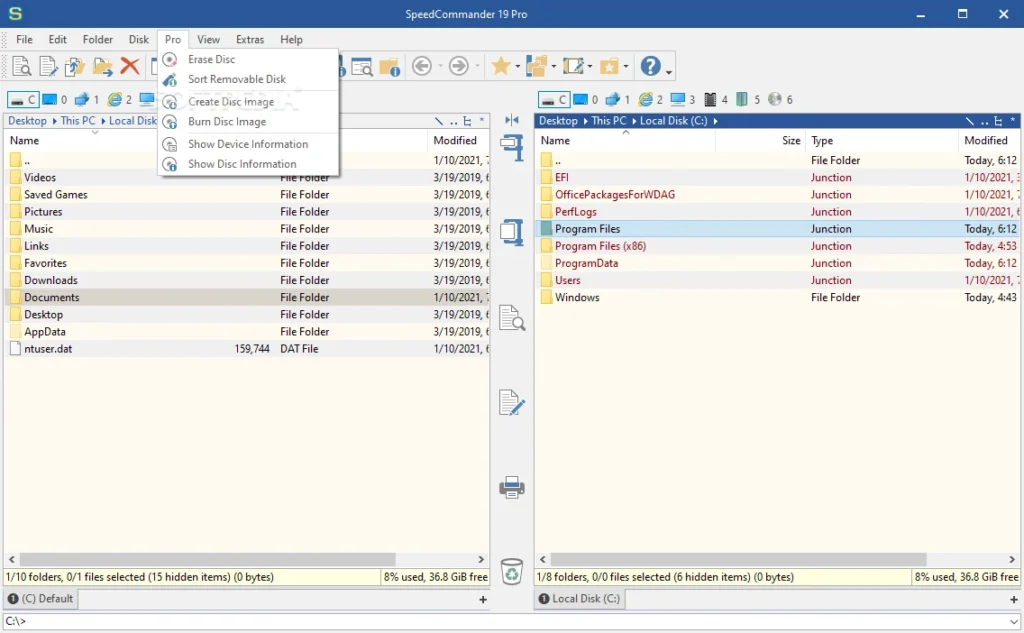
Features of SpeedCommander Pro
- Two folder windows can be set horizontally or vertically.
- Multiple folder views in the same folder panel
- File Container with Multiple Independent Containers
- Quick access to Network Neighborhood, Internet, and FTP.
- Direct support for numerous archive formats, including 7Z, RAR, SQX, and ZIP.
- Integrated Quick View for numerous file formats.
- Multi-rename tool
- Fast and comfortable search program (FileSearch).
- Synchronize files and folders (FileSync).
- Flexible editor for text files (SpeedEdit)
Pro Features:
- Write Optical Media: CDs, DVDs, and Blu-rays
- Image Files: Display and extract ISO/BIN disk images.
- Cloud Storage Access: Direct access to Dropbox, Google Drive, and OneDrive
- Includes a single license for Keseling DirPrinter Pro.