SoundSwitch is a fun and handy application for swiftly switching between audio devices. Assume you’re continually linked to your PC via headphones, speakers, or any Bluetooth speaker. I’m sure you appreciate how annoying it is to change the default Windows settings. This program rapidly fixes the problem; you may change the audio source with a single click, no trouble.
In conclusion, if you encounter this issue, please get SoundSwitch for free from the URL provided in the news.
The program itself is hidden in the system tray and has absolutely no recognizable interface. Configure the desired hotkey combinations once and forget about the menu permanently. You can always see where the sound is currently moving. The software can show a tidy translucent banner over all windows.
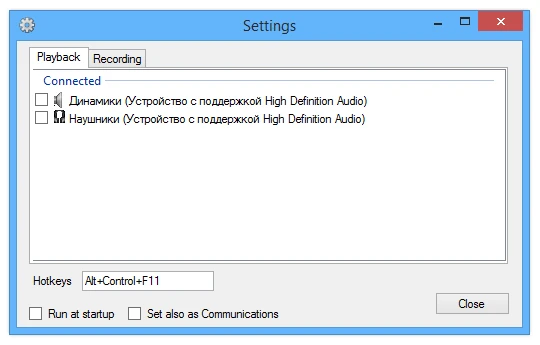
Features:
- Use hotkeys to change playback devices instantly.
- Easily set up profiles for various devices in one window.
- To protect against background noise, mute the microphone by pressing a button.
- Custom notifications for audio source changes and melody selection, with complete support for wireless headsets and speakers.
Remember that if you’re on Discord or on a call and a dog barks loudly in the background or someone farts, you can avoid embarrassment by pressing one button: full quiet. It’s fantastic.
Similar programs:
Audio Switcher was an excellent vintage tool with similar functionality, but it has been abandoned.
EarTrumpet is a strong volume mixer for the taskbar with many capabilities.