
SCUDATA esProc Desktop Overview.
This software is intended to enable both novice and experienced data users to manage and analyze data in various formats, including Excel, CSV, and JSON. The tool is designed with simplicity in mind, using a scripting language that seems more like a logical reasoning process than a coding chore. Unlike typical spreadsheet software, it delivers real-time feedback at each step, allowing users to see exactly what is happening with their data. Whether you’re crunching sales figures or combining many files into a report, it provides a more efficient way to handle complex tasks.
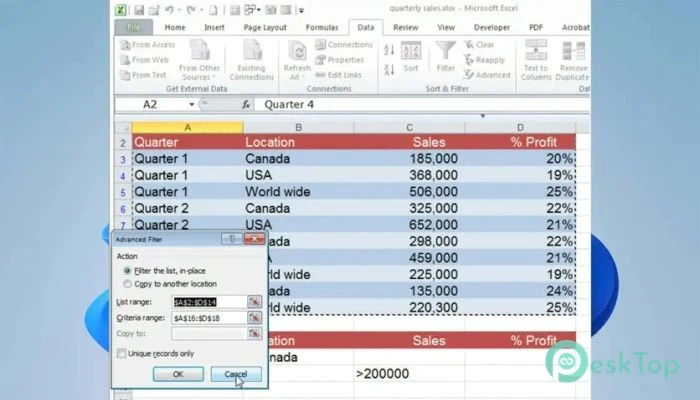
Features of SCUDATA esProc Desktop.
Simple and Clear Scripting
The built-in scripting language is a noteworthy feature. You do not have to be a programmer to use it efficiently. It feels like writing down steps in simple English. This makes the platform incredibly user-friendly while remaining sophisticated enough for extensive data handling.
You can use short scripts to filter rows, combine tables, and create summaries without having to deal with complicated formulas and cell references like other tools.
Visual Data Handling
Large datasets are easily managed thanks to their visual interface. Instead of working with invisible formulas or secret macros, you can view the actual data flow and results as they occur. This simplifies debugging and workflow enhancement because you know exactly what each phase is doing.
You can preview the output at each stage, resulting in fewer errors and increased trust in your results.
Working with several file types
One significant advantage is the tool’s ability to handle more than just spreadsheets. It can effectively handle CSV files, JSON data, and other plain-text formats. That’s wonderful news for anyone who frequently works with unstructured or semi-structured data.
You can combine data from several sources, evaluate it together, and export the results in your preferred format.
Automation and Batch Operations.
If you’re bored with doing the same data activities day after day, our platform makes it simple to automate them. Once you’ve created your workflow, you can utilize it as much as necessary. This is quite useful for frequent reporting and scheduled analyses.
Batch processing is also advantageous. You may use the same logic to process numerous files at once, saving hours of manual labor and lowering the chance of human error.
Beyond Spreadsheet Limits
Traditional spreadsheet programs are limited in their ability to handle massive datasets or complicated logic. This software does not. You can handle larger files, do cross-file operations, and employ dynamic data structures without fear of violating your calculations.
It’s a terrific update for anyone who has been pushing spreadsheets to their limits and wants a more capable yet still user-friendly desktop alternative.
Use cases and real-life benefits.
This application is suitable for a variety of circumstances, including marketers sorting through campaign data and financial analysts integrating quarterly reports. Small business owners, students, and researchers can all benefit from having a simple yet effective data tool that does not require IT help.
Consider it a personal data assistant that requires no coding skills or cloud subscriptions.
System Requirements and Technical Details
OS: Windows 11/10/8.1/8/7
Processor: Minimum 1 GHz (2.4 GHz is preferred)
RAM: 2GB (4GB or more is recommended.)
Free Hard Disk Space: 500MB or more is recommended.