
RunAsTool is a handy way to start software with administrative privileges without inputting a password. You’re surely aware that sometimes a user needs to execute software as an administrator on a PC, which is entirely typical. If you are not the administrator on Windows, you must manually input the administrator password, which is inconvenient. This software solves this problem by allowing the average user to launch specified software with elevated rights in a single click.
The program is free and does not require an activation code or crack. RunAsTool is available for download below.
The idea is simple: the administrator runs the tool, drags the chosen software into the program window, enters the administrator password once, and creates desktop shortcuts for all users. When you run this shortcut, the software will immediately launch with administrator privileges. The user can not see the password and is unable to adjust the settings.
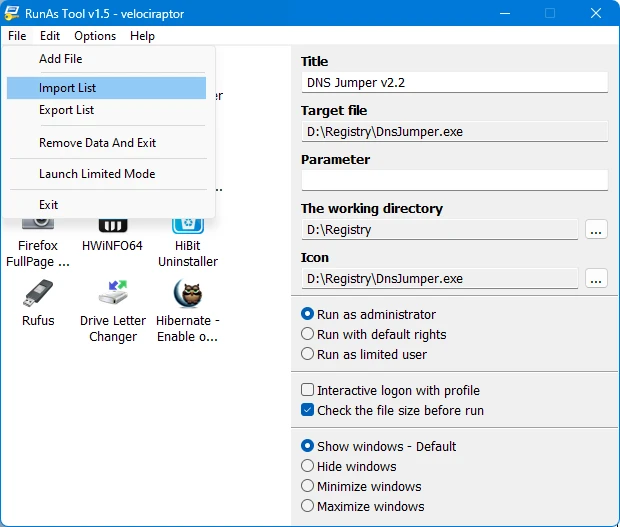
To improve security, the developers included a file checksum verification to prevent users from replacing the original file with a different file and running it with administrative privileges. All produced settings are readily exportable to other machines.
Pros:
- Quickly run applications with administrative capabilities without requiring the user to enter a password.
- Protect your app settings with a secure master password.
- Checking the file size and hash to prevent manipulation.
- The utility is fully portable and doesn’t require installation.
Similar:
RunAsSpc is a commercial tool for encrypting data during task execution.
Responses to frequently requested questions:
Will a user be able to find the admin password using a shortcut?
No, all account data is safely encrypted in the settings file.