
Microsoft Windows Terminal Overview
One notable feature of this terminal emulator is the ability to execute Command Prompt, PowerShell, Windows Subsystem for Linux (WSL), SSH, and Azure Cloud Shell Connector in separate tabs. This functionality represents a significant shift from the constraints of the previous Console, allowing users to work with multiple tabs and perform various activities concurrently.
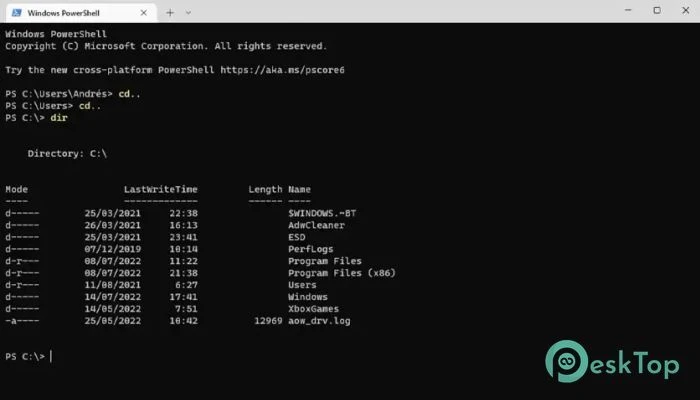
Features of Microsoft Windows Terminal.
A multi-tab interface allows for seamless operations.
One of the software’s notable characteristics is its multi-tab interface. Unlike the standard Console, it allows users to launch multiple command-line interfaces in separate tabs. This not only improves organization but also enables effective multitasking. You can easily move between Command Prompt, PowerShell, WSL, SSH, and Azure Cloud Shell Connector in a single window, optimizing your workflow.
Compatible with a variety of command-line applications.
It supports a wide range of command-line applications, making it a useful tool for developers, system administrators, and advanced users. Whether you’re working with Windows emulators, PowerShell scripts, or connecting to remote servers via SSH, it offers a unified platform for managing a range of activities from a single interface.
GitHub Integration for Open Source Collaboration
It is an open-source project with a thriving community on GitHub. Users can contribute to the development, report bugs, and remain up to date on the latest improvements. This collaborative approach builds community while keeping the terminal emulator up to date with evolving user needs and technological improvements.
Regular updates for improved performance.
Microsoft is committed to providing users with a superior experience. The application is regularly updated with bug repairs, performance enhancements, and new features. By staying up to date with the latest version, users can benefit from a stable, optimized terminal emulator that meets the evolving needs of modern computing.
User-Friendly Interface with Customization Options.
It has a simple and easy-to-use UI. Users can adjust the appearance, including color schemes, fonts, and background images, to their liking. This level of customization improves the overall user experience, making it a popular choice among individuals who value aesthetics and utility in their command-line environment.
System Requirements and Technical Details
Operating System: Windows 11/10.
Processor: Minimum 1 GHz (2.4 GHz is preferred)
RAM: 2GB (4GB or more is recommended.)
Free Hard Disk Space: 200 MB or more is recommended.