
If the traditional Windows Start menu does not appeal to you, or you are bored with manually navigating through shortcuts and folders, you should try Launcher. This small tool is a cleaner replacement for the traditional menu, providing you with a customized panel where you may organize everything to your preference and keep it handy, all in Russian.
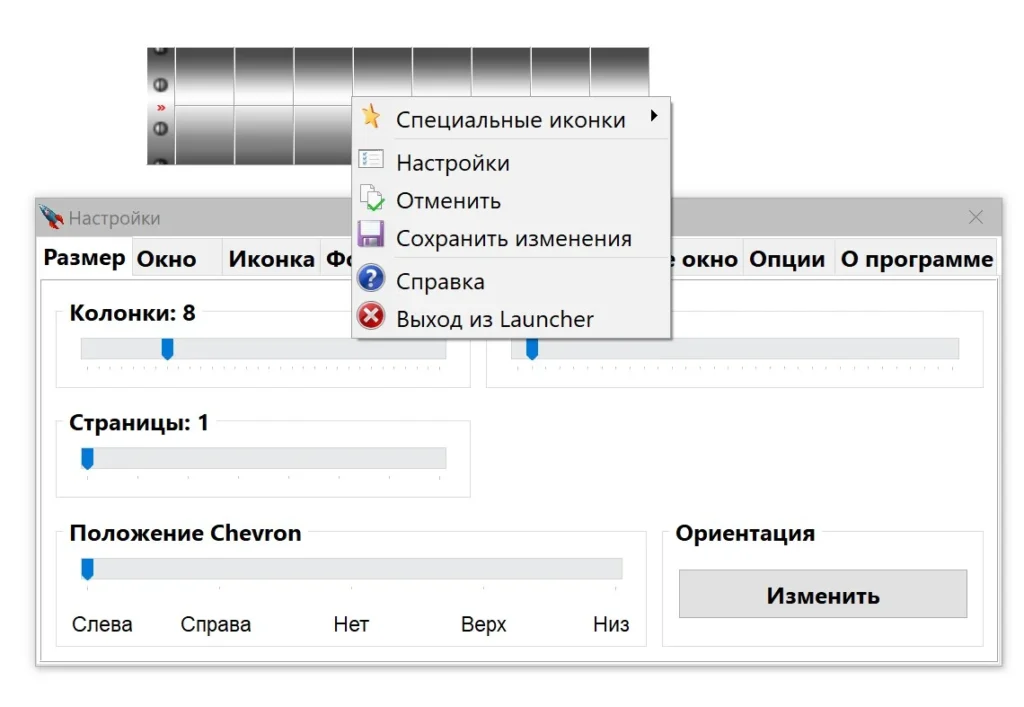
Details:
- The interface is simple—it may not even be obvious the first time you run it, since the window is typically located in the upper-right corner of the screen. On a larger monitor, it can be a little perplexing, especially if you have other programs running.
- The panel is built as a grid; it can be resized and moved anywhere on the desktop, and shortcuts can be added by dragging and dropping.
- There are numerous settings available, including options to change the background image, color, and transparency of the panel to avoid distractions while working.
- You can vary the number of rows and columns, the item size, the panel orientation, and the expansion button position.
- Hotkeys for showing and hiding windows are available, and you can set various sounds to certain actions.
This software is ideal for anyone who prefers a clean desktop. Essentially, you can use this grid to organize all your important shortcuts, files, and other objects, removing unnecessary clutter from your screen. You can pin the panel to the top of other windows if you want.
If you want something simpler, neater, and more convenient than the conventional Start menu, you’ll find it here.
It’s a decent alternative to Open-Shell, but it’s best suited for individuals who want the classic, old-style Start menu. Winstep Nexus is a premium app that provides a more remarkable dock panel experience and a more appealing design.