KeePass Password Safe is a modest yet handy program for securely saving passwords and managing credentials. Once opened, it creates an encrypted local database, protecting your logins from illegal access and possibly preventing theft.
The latest version of KeePass Password Safe is available for free download at the link below. There are various editorial offices there, and we become acquainted with them.
Modern versions of the application use the Argon2 hashing algorithm to protect the master key. As a result, even if an attacker physically takes your database file, it will be theoretically impossible to brute-force the password using the CPU and GPU, due to the significant computational overhead of the algorithm.
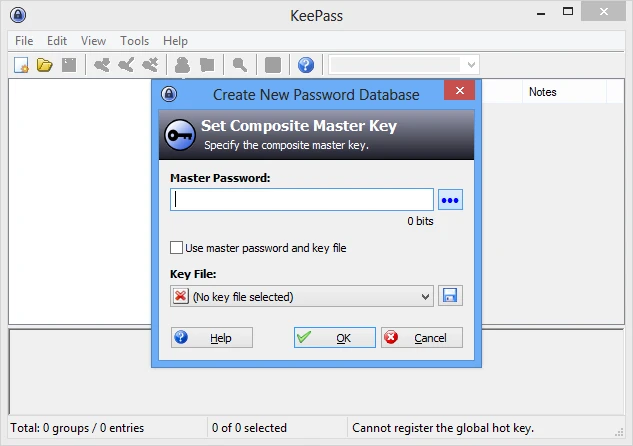
The process begins with the development of a secure container. Access to it can be restricted in various ways. The first option is to use a regular master password, a specific key file, or a hard link to your Windows account. These approaches can be combined to provide optimal protection. Records in the safe can be divided into folders and allocated specific icons.
The profile card contains more information than just the standard login and password.
What the user receives:
- Securely attach files straight to the database with quick previews.
- The smart auto-dial function allows rapid login to any website and keeps a complete history of changes, with the option to rollback to previous versions.
- Built-in complicated password generator with lots of fine customization.
- Impenetrable data encryption using military-grade AES 256-bit
Competitors include LastPass and 1Password, which require you to store your data on someone else’s servers and charge a monthly subscription for this. There is Bitwarden, which isn’t awful in its own way.