
Meet Hekasoft Backup & Restore, a simple, free tool in Russian that helps you back up your browser profile settings and selected programs, and restore them if needed. You can download Hekasoft Backup & Restore below.
The interface is straightforward, and everything is extremely accessible. When you launch it, a pop-up window will appear. Select a browser. Use the drop-down list. You can then either create or restore a backup. If you go into the advanced settings, you’ll see that the backup includes more than just the default settings; you can also save extensions that are installed in the selected browser. For more information on which applications the software supports, see the spoiler below.
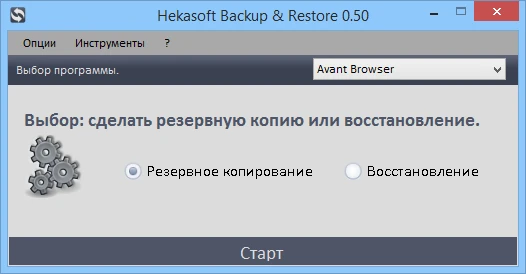
There’s also an option in the settings to create your own module for storing the new program’s settings, which I appreciated. The backup is quickly and easily saved in its own *.backup format and can be transferred to another operating system. The program is useful, especially since it supports almost all browsers and some other programs, such as Skype, FileZilla, and others. You can also create your own module if you have a settings folder. I personally liked its simplicity and versatility (in terms of support for new browsers and programs).
I hope you find it beneficial.