
Google Hybrid Maps Downloader is a program that lets you download offline maps of specific areas of the world. It works with Google’s hybrid maps, taking small tiles with satellite photos and captions and stitching them together to create a single larger image.
It’s straightforward to use, and the interface is intuitive from the start. Internet access is required since the application needs to connect to Google servers and download the necessary photos. The offline map is generated after the download.
To begin, identify the area you want to download in coordinates, including the left and right longitudes, as well as the upper and lower latitudes. You cannot use your mouse to choose a region on the map; instead, you must first prepare the coordinates.
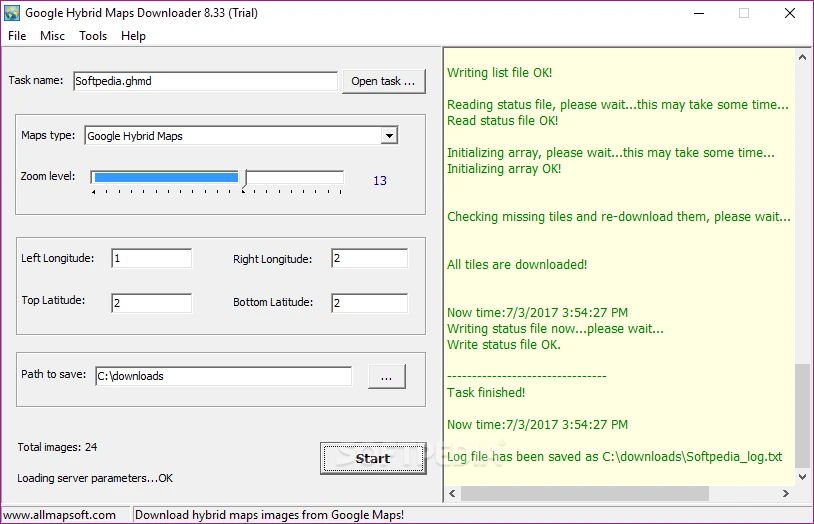
After completing the setup, select a folder to save the data and click “Download.” The program then estimates the number of photographs to download, initiates the download, and displays progress. The project can be stored locally.
Once saved, you can start stitching the tiles together. The Google Hybrid Maps Downloader merges the downloaded pieces into a single map, which is only available in BMP format. This format isn’t very tiny, but it provides lossless images.
This software is handy if you need to make a map of a region ahead of time, such as for a trip or a report, and you know the internet will be unstable. Open the desired region, download, merge, and use as a standard image. There are many choices, like Universal Maps Downloader.