
Futuremark SystemInfo is a tool that collects data on PC hardware and systems. Many people recognise the firm for its 3DMark and PCMark benchmarks, and SystemInfo is essentially a service component that collects computer data.
Futuremark SystemInfo is available for free download from the link provided below.
After launch, it scans your computer and collects all available information, including running services, processor, graphics card, motherboard, RAM, hard drives, and other hardware. The results are saved to an XML file. When you open it, you’ll see the complete picture, including the system version, username, WMI information, API settings, and other details.
The application merely collects data and does not give error reporting or diagnostics.
After installation, a few components will emerge in the system, including System Diagnostic, which collects data and enables direct inquiries. The interface is tabbed, and the log displays running jobs and their statuses.
In the Additional Tools tab, you can filter categories and select which items you want to see. DirectX, ADL, CPUID, processor, motherboard, and/or display.
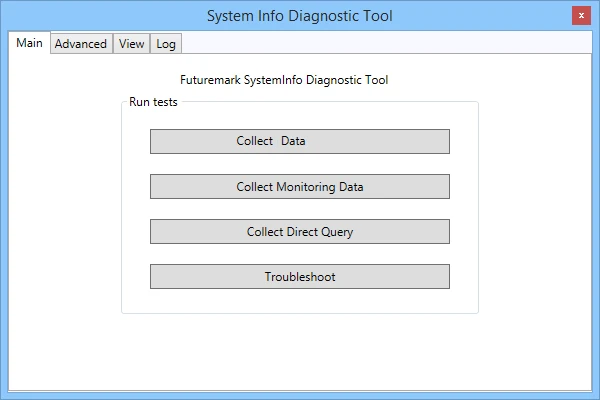
Features:
- Complete hardware and system information collection. Export findings as XML.
- Direct inquiries on the processor and the visual card;
- Detailed information about each core, including DirectX, WMI, and API. Filtering by category and a tab-based interface.
The application is not for beginners; the interface is straightforward, but the substance is sophisticated, and without knowledge of WMI or CPUID, half of the information would be a jumble of letters.
There is an analogue, the well-known HWiNFO, which displays hardware information in greater detail while also monitoring temperatures and load in real time. You can also check out the top topic, AIDA64, which includes benchmarks, monitoring, and thorough information on each component.