
I’ve decided to release an updated version of a small program that may be helpful to some people. It’s very handy for individuals who wish to test their operating system’s boot speed, which is exactly what this tool does. If you are interested, I recommend getting BootRacer from our project. To do so, navigate to the whole article and, as always, select the relevant button. The application begins monitoring time the instant you log in, which is when you input your password, choose a user, or see the welcome screen. It does this every time, so after applying optimization utilities, you can tell whether Windows booted faster or whether it was an illusion.
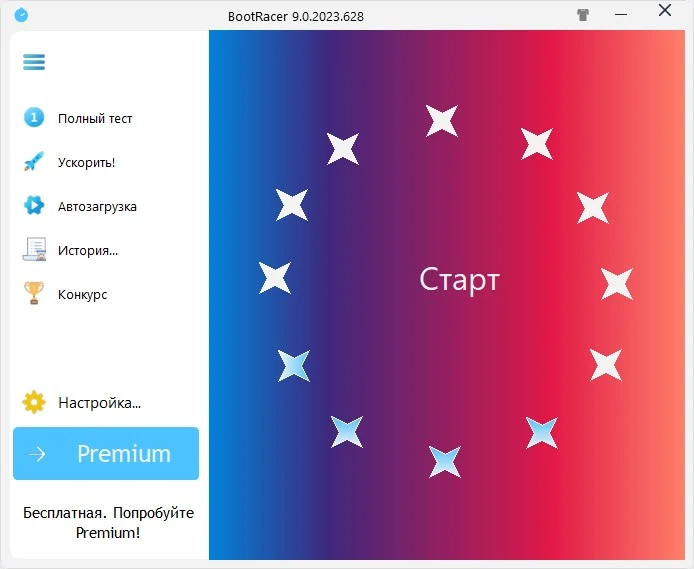
I’d want to highlight BootRacer’s design, particularly its UI. Essentially, the information in the second screenshot is all you need to know. Launch the software, click the clock, and you’ll be prompted to reboot the computer to ascertain the time. Click Yes and wait for the results. You can activate the software without forcing a reboot; BootRacer will wait for you to do so for some reason and then display the time. The program saves all results in a customized log that is always available. It works with both Administrator and normal user accounts, is very simple to use, and requires almost no configuration. BootRacer also does not charge you anything unless you intend to use it for personal purposes.
The developers claim that if BootRacer returns a time of less than a minute, you’ve essentially achieved great results. It’s not that fast, and it could be finicky. According to the official website, the program will only operate if you use the standard Windows Explorer shell and turn off any third-party shells you may be using. There is nothing else to say about BootRacer, so feel free to share your findings in the comments. We’ll talk, debate, and compare who is faster and who is slower.