Looking to improve the strength and usability of your Windows firewall? Malwarebytes Windows Firewall Control is a sophisticated piece of software that extends Windows Firewall’s functionality, adding new capabilities that further enhance it.
It runs in the system tray and allows the user to control the native firewall without having to spend time browsing to a specific section. This is the best tool for managing native firewalls on Windows 10, 8.1, 8, 7, Vista, Server 2008, and Server 2012.
Are you ready to easily manage your Windows firewall? Download Malwarebytes Windows Firewall Control now! Increase your security with greater functionality.
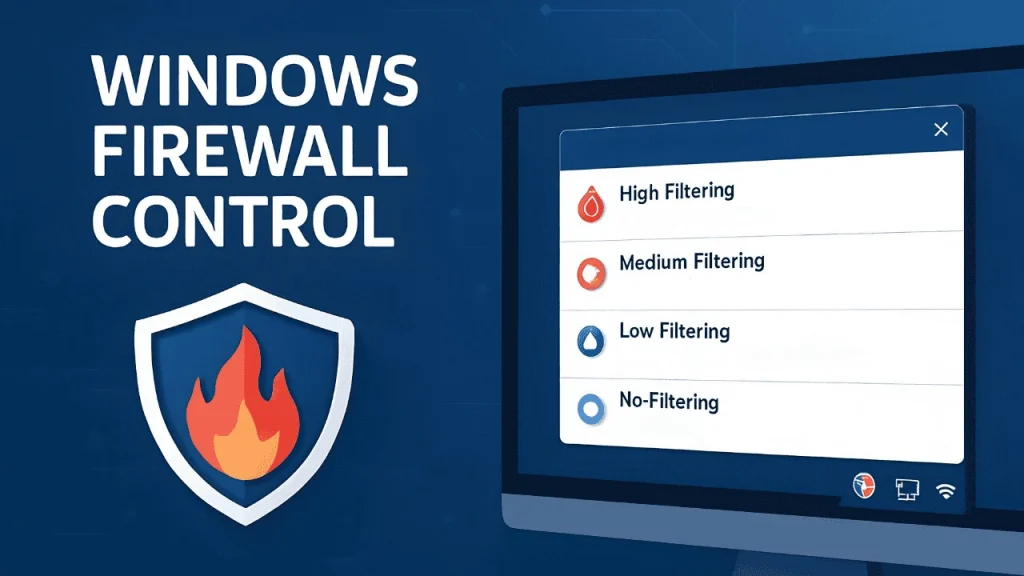
Malwarebytes Windows Firewall Control provides four filtering modes that may be switched with a single mouse click.
- High Filtering: All outgoing and incoming connections are prohibited. This profile prevents any attempts to connect to or from your machine.
- Medium Filtering: Outbound connections that do not match a rule are banned. Only the apps you allow can make outbound connections.
- Low Filtering: Permits outbound connections that do not follow a rule. The user can prevent specific programs from initiating outbound connections.
- No Filtering: The Windows Firewall is switched off. This setting should be avoided unless another firewall is running on your computer.
- Malwarebytes Windows Firewall Control does not perform packet filtering, nor does it block or allow any connections. This is done by the Windows Firewall using the existing firewall rules.
Features of Malwarebytes’ Windows Firewall Control
- An intuitive user interface that is quickly accessed via a system tray icon.
- Full support for ordinary user accounts. Only during the installation process will elevated privileges be required.
- Disable other programs’ ability to add Windows Firewall rules.
- Integrated capability for creating, editing, and removing Windows Firewall rules.
- Multiple and easier ways to create new rules in Windows Firewall.
- The Lock function restricts access to the program’s settings and the Windows Firewall.
- Shell integration with executable files’ right-click context menus.
- Automatically display invalid rules for programs that no longer exist.
- Merge similar rules or replicate existing ones.
- The Security log lets you view recently authorized and prohibited connections, and add new rules.
- Importing and exporting partial rule sets.
- Protection against unauthorized uninstallation.
- It is possible to restore prior settings after uninstallation.
- Global hot keys are supported, and several shortcut keys are provided.
- And many more. Try it out.
Portable Malwarebytes Windows Firewall Control.
Portable Malwarebytes Windows Firewall Control lets you manage your Windows firewall on the fly. Run it from a USB disk to keep your Windows PCs secure.