BackupChain is a powerful software for backing up desktops and servers running Windows 11 and earlier. It will appeal to administrators who aren’t satisfied with simply saving folders on a flash drive, much less a CD. This tool can back up files, disks, databases, and virtual machines almost entirely without closing down the system.
According to the creator, it can also run on Windows XP, server versions 2025-2003, and Azure Stack HCI. The writers gave specific attention to Hyper-V, VMware, and VirtualBox. The software can save running virtual machines, recover individual data, and switch between physical and virtual environments.
You can choose your own storage location: local and network disks, USB, SAN, iSCSI, FTP, cloud, and so on—the options are plentiful, which is a bonus. Backups can be saved as normal file formats, archives, or virtual drives. It’s a nice feature because you don’t have to search through some proprietary format to examine data.
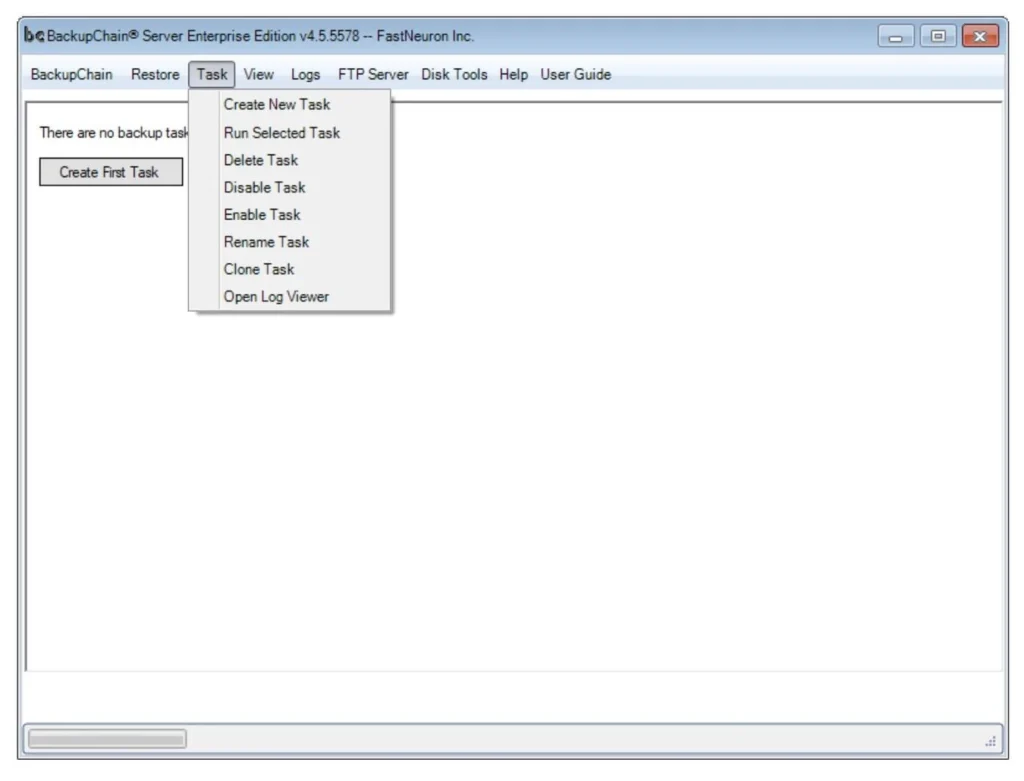
To save space, deduplication is used, which compresses and transfers only the changed portions of files rather than the entire file every day. There is version history, filtering, and parallel task processing.
If you have several computers, there is a central console. It displays backup jobs on several workstations, avoiding the need to visit each server individually.
Pros:
- copying files, disks and databases
- support for Hyper-V, VMware, and VirtualBox
- saving to FTP, USB and network storage
- deduplication and version history
- disk cloning and full recovery
- centralized task management
Similar solutions:
Veeam Backup is a well-known virtualization solution, but it may be too sophisticated for a small network.
AOMEI Backupper is simpler for home computers but offers far fewer server features.
Answers to Questions:
Can I duplicate a running virtual machine?
Yes, BackupChain supports backing up operating virtual machines.
Does the subscription have to be renewed annually?
No, the creator provides perpetual licenses, which may be activated for free in the archive, so enjoy.