
Postman is a useful tool for interacting with APIs. Are you eager to test a request, need to construct a collection, are working on a tight deadline, and need to set up tests or prepare documentation right away? You’ve come to the right place; our software saves time on all of the aforementioned tasks. Developers and others use it, testers are overjoyed, and administrators and everyone else are as content as elephants. If you’ve ever experimented with a REST API, you’ve found your salvation here.
Postman is available for free download from both our site and the author’s website. There is a basic version that is appropriate for getting started and general work, but a license is required for a team like yours (if there are many of you), intensive collaborative development, or huge projects.
It’s simple: make a request, select a GET, POST, PUT, or other method, enter the address, headers, parameters, and authorization token, and then examine the server response. The wonderful part is that you don’t have to build a script from scratch every time; everything is saved in collections, allowing you to repeat the test or send a batch of requests to someone else.
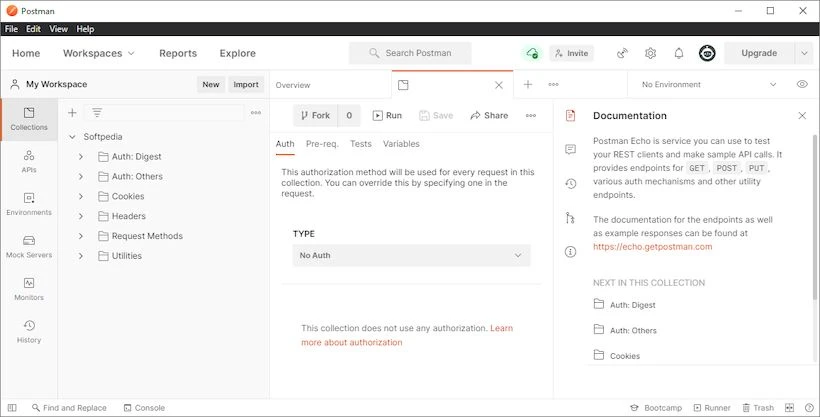
Separating environments allows you to keep separate variables for development, testing, and production. This means that you can now run the same request on the test server, then swap environments and inspect the production address. There are automated testing, support for pre-request scripts, OpenAPI schema import, and plenty of other intriguing features.
The only significant disadvantage, from my perspective, is that Postman can be fairly resource-intensive, particularly if you have many collections and numerous tabs open. On a low-end PC, this is obvious.
Pros:
- Convenient REST API testing with no unnecessary code.
- Features include request gathering and sharing, environment variables for several servers, automated tests, and pre-request scripts.
- OpenAPI Import and Documentation Generation
Similar apps:
Insomnia has a simpler interface, which is ideal for REST and GraphQL, but has much fewer command-line options.
Responses to frequently requested questions:
Is Postman suited for beginners?
Generally, yes. Basic requests can be made nearly immediately; the key is to grasp what a method, an address, and a header are.
Can I use the application for free?
Yes, although team collaboration, extended limits, and some cloud capabilities require a paid subscription.