Looking for a centralized solution to manage and control printing on your network? priPrinter Server is a network-based print preview solution that enables you to distribute a single print preview application over your network.
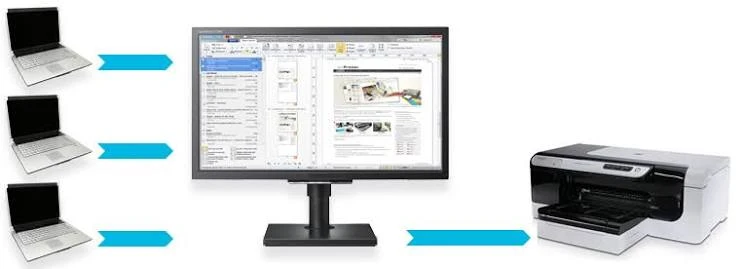
Any user can print from a network computer, while another can preview, edit, save to PDF, or print the job on the server computer.
Don’t waste paper and resources! Download priPrinter Server today and take complete control of your network printing.
Common Use Scenarios
- In an office, coworkers or clients can print papers to the Printer Server. A single person may then organize them in the desired order, make any necessary modifications, and print or save as a PDF.
- Students and teachers at the school. Check out the actual use case.
- Coworkers may occasionally email you documents or photographs to print. It gives a straightforward method for accomplishing this.
- At home, you can print fascinating web pages while browsing the internet on your laptop computer. Your children may print coloring pages, which you can change and resize before printing.
- This print preview computer (also known as a server) allows you to preview, alter, combine, and reorder print jobs. Of course, page styles, watermarks, and text correction are available. Finally, all jobs can be printed or saved as PDF files.
- A particular, optional panel on the Printer Server displays the history of all printed documents and network users. Documents are organized and categorized by date/time. It is now much easier to locate a recently printed paper.
Features of priPrinter Server Full
- All functionality of priPrinter Server, including print preview, PDF, and text editor.
- Ability to share the printer preview application over the network.
- Print from both local and network PCs.
- Watermarks and Mark-ups
- Print history. Select your print jobs from the sorted list and drag and drop them into the proper positions.
- Job reordering with mouse drag and drop
- List of Users
- Filtering by User Name
- Licensing: per Server, unlimited number of clients.
- Text search for newly printed jobs.
- Scripting