Syncovery Premium is a reliable backup and synchronization software that protects your files, folders, and data across multiple devices. It features quick synchronization, real-time monitoring, automated scheduling, and numerous sync modes, making it suitable for both casual users and professionals who require continuous data security. Whether you’re backing up vital papers, cloud storage, external devices, or servers, Syncovery keeps your data secure and up to date.
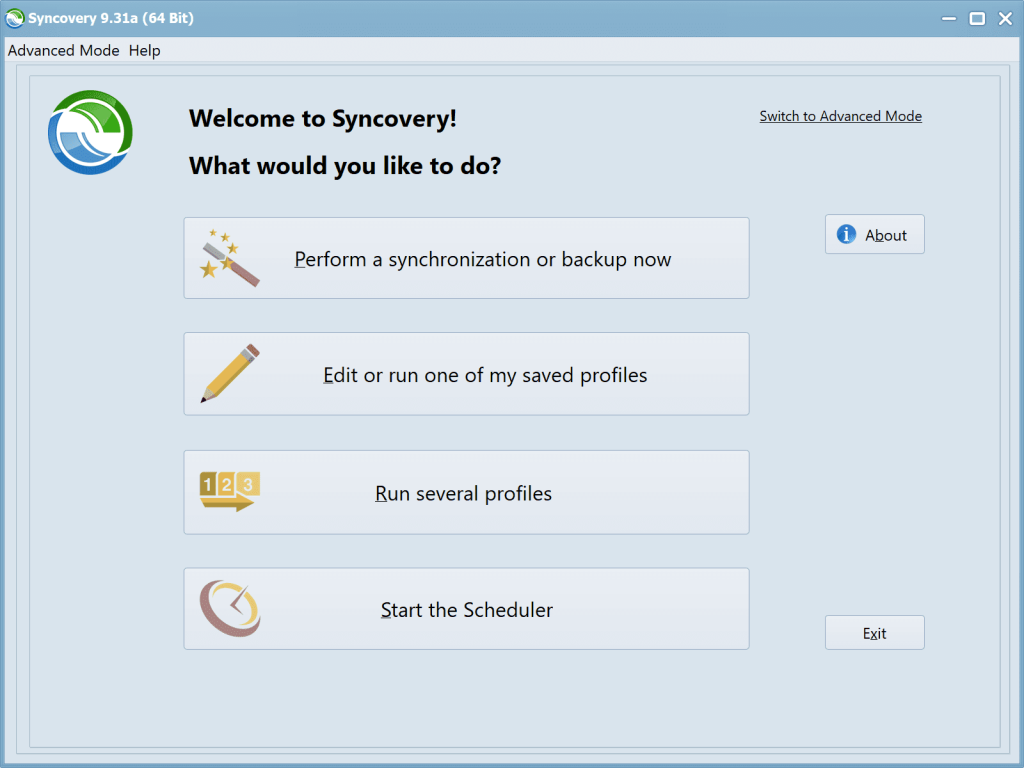
The software has an easy-to-use interface and two modes: Wizard Mode for beginners and Advanced Mode for experts. You can set up multiple backup profiles, sync in one or two directions, use smart tracking, or mirror entire folders exactly. Syncovery Premium provides a comprehensive solution for reliable, flexible data backup on Windows PCs, including cloud storage, encryption, versioning, block-level copying, and support for locked files.
Features of Syncovery Premium:
- Synchronizes files and folder structures across multiple devices, such as a PC and a laptop. 64-bit I/O supports file sizes larger than 4GB.
- Save complete sets of option settings as Profiles for instant access to all saved preferences. You can even run many profiles with a single command.
- Detect moved files. If you restructured your folders by moving files to other locations, the Super Flexible File Synchronizer will detect the changes and swiftly replicate them, such as on your laptop. No superfluous copying!
- With Scheduler. Schedule data synchronization to a backup hard disk at a convenient time each day, or as frequently as you choose.
- Smart and versatile. If some files cannot be duplicated because other software is accessing them, the synchronizer will continue copying the remaining files, then retry all locked files until all files are successfully replicated. You can specify a time limit for retries. However, during the retry phase, the synchronizer consumes minimal CPU.
- Maintain multiple backup versions for each file (optional). This functionality does not overwrite backup files; instead, it renames them until a specified number of distinct backup versions is reached. You can also decide where to save these previous backups (in the same folder as the original, in a subfolder of that folder, or in a single subfolder for the entire profile).
- Database-Aware. A unique technique prevents data damage when copying database files, including SQL Server database files. The synchronizer will wait to duplicate the file until it has exclusive access to it. During the copying process, the database server cannot access the file. As a result, utilizing this software as a backup solution for database files requires that the database files be infrequently accessed.
- You can use the Recycle Bin to store earlier versions of overwritten files. This is unusual, as most programs permanently replace older versions of a file. If you use Super Flexible File Synchronizer correctly, you can recover overwritten files.
- Multiple File Masks (Inclusion and Exclusion) are transparently (and quickly!) processed. Even if you give redundant file masks, there will be no unexpected consequences.
- Select the Base Folder Items. Want to synchronize just a few folders? There is no need for multiple runs per folder. Select the base folder containing these folders and select “Only Selected Items From Base Folders…”.
- Reduce the load by using obsolete file folders. If you occasionally relocate outdated files to a specific folder, standard file synchronizers will frequently fail. They will copy the obsolete files back from your laptop and place them in the directories from which you previously removed them. No more! If you select the above-mentioned Select Base Folder Items option, you can indicate which folders contain obsolete files by choosing the grey checkbox. These folders are then used to move files into, but not to copy files out. Thus, the synchronizer moves obsolete files on your laptop the same way you did on your PC, but it saves time by not copying all of them between the two computers.
- No More Problems With Daylight Saving Time.: exact 1-hour time disparities can be ignored, as long as the file sizes match; you will have no further issues if the file systems of two machines differ by 1 hour. If this only applies to some files, that’s fine! The offset is handled flexibly rather than adding a fixed number to the hours on one side.
- Easy Resume on Full Disk. Make extra room and instruct the software to continue copying. It can pause right in the middle of a file till more space is available.
- Unattended mode. In this mode, there are no questions asked. You can define which file types are allowed to be replaced in advance.
- Create Exact Mirrors as an optional step. If desired, you can generate an exact mirror of your data, even if it involves deleting or replacing some files with earlier versions.
Syncovery Premium Portable Version.
The Syncovery Premium Portable version lets you use the software without installing it. It’s perfect for using USB drives and external storage because it leaves no record on your PC. All backup and sync functions operate the same way, providing a lightweight, adaptable solution for on-the-go data protection.
Get Syncovery Premium today.
If you need a dependable, adaptable solution for backing up and synchronizing files across devices, Syncovery Premium is an excellent alternative. It provides several sync options, scheduling, cloud support, and robust data security for both personal and commercial use.
Click the button below to download the most recent version for your Windows PC and keep your vital files secure at all times.