
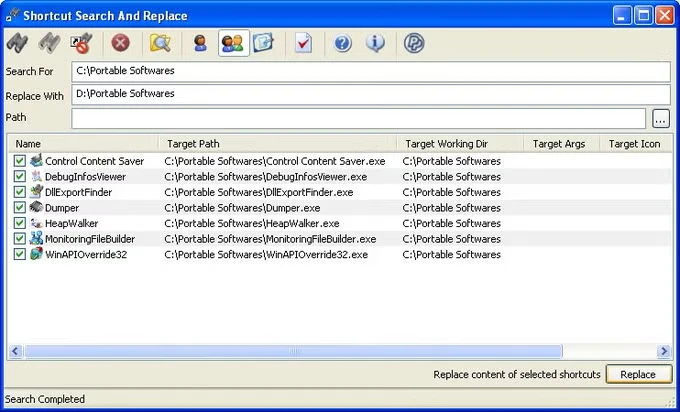
As the name implies, the program allows you to quickly and conveniently search for and replace keyboard shortcuts. The application allows you to find the exact path to the shortcut you require, as well as the working directory. Shortcuts Search and Replace are available for download below.
The application also allows you to locate shortcuts that lead nowhere, known as “dead” shortcuts. You may set the tool to delete such shortcuts when it discovers them.
Features:
- A simple software for working with shortcuts.
- A straightforward interface allows you to select what to search for, what to replace it with, and where to search.
- You can easily change the shortcut’s target path, working directory, location, and so on.
- There is both an official portable version and one available from PortableApps.
- Windows 7 is still supported.
- The UI isn’t the most visually appealing or informative, but it’s simple to use, which is what matters.
- It consumes nearly minimal system resources.
- You can delete the discovered shortcuts; there is a button in the bottom right.