What Rufus is
Rufus is a small free program that creates a USB Bootable Drive that can be used to install operating systems such as Windows and Linux or even run various disaster recovery tools, directly from the flash drive. Its highlight is that it is easy to use, small, and does not require installation. And work quickly. Suitable for users who want convenient and efficient management of flash drives for booting the system
It effectively supports ISO file image writing to USB. It offers options in a variety of settings, such as file system selection (FAT32, NTFS), Partition Scheme settings (MBR, GPT), and the target system (BIOS or UEFI), making it suitable for use on both old and new models. It also supports checking the Bad Blocks of the flash drive before use. To ensure the integrity of the written data,
In addition to creating a bootable USB, Rufus is also popular among IT professionals and administrators because it can be used to quickly create a Windows installer. It can also be set to run in “Windows To Go” mode for those who want to easily carry the Windows system to use with other machines. Overall, Rufus is considered an essential tool for managing portable boot media and operating system installations in today’s era.
Properties
- Create a bootable flash drive (Bootable USB) from an ISO file quickly and efficiently
- Both Windows, Linux and other operating systems are supported
- It is possible to choose a file system suitable for its needs, such as FAT32, NTFS, exFAT, UDF and ReFS
- It supports partition creation in MBR (suitable for BIOS/Legacy) and GPT (suitable for UEFI systems)
- Pre-name the User in Windows to install
- Skip TPM 2.0 verification
- You can cancel the forced login to your Microsoft account when installing
- You can cancel asking questions while installing
- It is a portable program that can be used immediately without being installed on the machine.
- Supports multiple languages, including Thai language
- Free and open source
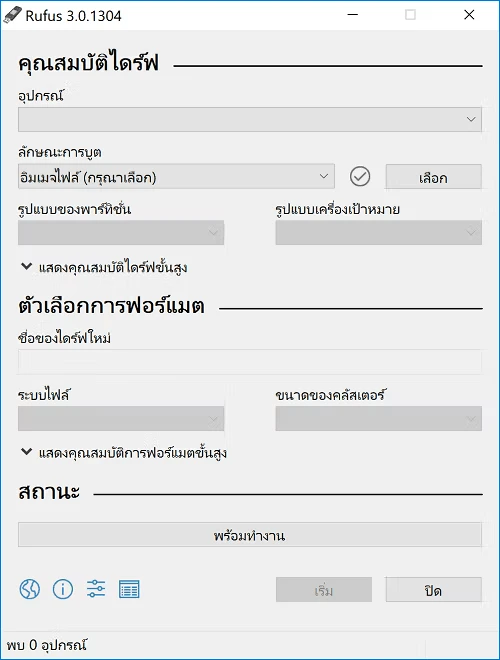
What’s new?
- Add Dark Mode support.
- Add support for creating Windows CA 2023 compatible media (requires a Windows 11 25H2 ISO.
- Add support for saving an existing drive to ISO (UDF only)
- Improve error reporting when saving to VHD/VHDX
- Improve perspective support for Linux Mint
- Fix UEFI DBX updates that are being reported in some time zones, even when none exist.
- Fix a situation where no file system can be selected in ISO mode
- Fix a crash when trying to process Windows ISOs with very long paths