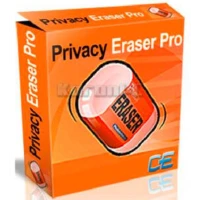
I frequently share my home computer with family members, and although I trust them, I wish to keep my online habits and system usage private. It’s not just about browser history; Windows retains a wealth of information about recently opened documents, temporary files, and application activity, which can clog the system and potentially expose personal information. I also noticed that my computer became slow over time owing to accumulated garbage. That’s why I started seeking a dependable solution to clear out these digital traces. After experimenting with a few possibilities, I decided on Privacy Eraser Pro to continuously protect my privacy and boost my system performance.
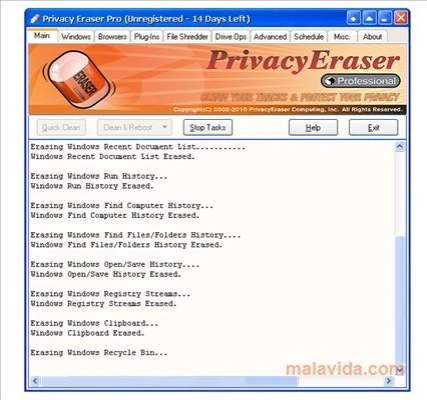
Key Features of Privacy Eraser Pro:
- Comprehensive Browser Cleaning: Removes cache files, browsing history, cookies, address bar history, and autocomplete memory from all major online browsers, including Google Chrome, Mozilla Firefox, Microsoft Edge, and more.
- Windows Activity Erasure removes evidence of your everyday computer activities, including recent document history, Start Menu Run/Find history, Recycle Bin contents, and Windows temporary files.
- Advanced File Shredding: Securely and permanently deletes sensitive files and directories from your disk, rendering them unrecoverable using any data recovery method.
- Disk Space Optimization: Cleans up free disk space by overwriting previously deleted files and removing various system garbage, regaining valuable storage, and increasing system speed.
- Extended Cleaning using Plugins: Supports an extensive library of over 300 free plugins. I use additional plugins to clean up after common third-party applications, such as Microsoft Office, WinZip, and media players.
- Military-Grade Data Wiping: Meets or exceeds US Department of Defense DOD 5220.22-M and NSA clearing and sanitization standards, ensuring wiped data is permanently deleted.
System requirements for Windows.
- Operating system: Windows 11, Windows 10 (64-bit or 32-bit)
- Processor: Intel or AMD processor, 1 GHz or above (x86 or x64).
- RAM: 512 MB minimum.
- Disk Space: 100MB of free space
- File Format:.exe for installation.
- Supported browsers include Google Chrome, Mozilla Firefox, Microsoft Edge, Internet Explorer, Opera, and more than 50 others.
Why do I recommend Privacy Eraser Pro?
Privacy Eraser Pro is the best privacy erasing software for Windows computers, thanks to its comprehensive and simple design. It’s easy to download and install Privacy Eraser Pro on Windows; the process is quick, and the UI is simple. When I compared Privacy Eraser Pro to the free version, it was evident that the Pro version was more useful. The full **Privacy Eraser Pro version download** includes features that genuinely make a difference, such as military-grade data wiping and broad plugin support, which are sometimes limited or missing in free competitors. These capabilities are precisely what distinguish Privacy Eraser Pro as a must-have solution for anyone concerned with digital privacy and system hygiene.
Advantages of Privacy Eraser Pro Portable Edition
The Portable Edition of Privacy Eraser Pro provides excellent flexibility and security. No installation is required; you can run the application directly from a USB flash drive or another external storage device. This is especially handy because it leaves no registry entries or traces on the host computer, making it ideal for usage on limited or shared computers, or even public PCs, without leaving any evidence of your activity or the software’s presence.