Perfect Backup is a straightforward, if not overly easy, backup program that automates the entire backup process, removing the need for manual administration.
Perfect Backup is available for free download below, as well as a professional version with activation.
Backups can be stored anywhere, including your local drive, any storage device, network folders, FTP sites, and the cloud. Backups can be configured to run simultaneously across multiple locations, so if one fails, the data is still available in the others.
There are four types of backups: full, incremental, differential, and synchronous. Incremental backups conserve space by copying only the changes since the previous Backup. In contrast, differential backups replicate all changes since the most recent complete Backup, and synchronous backups merely maintain files in the same state.
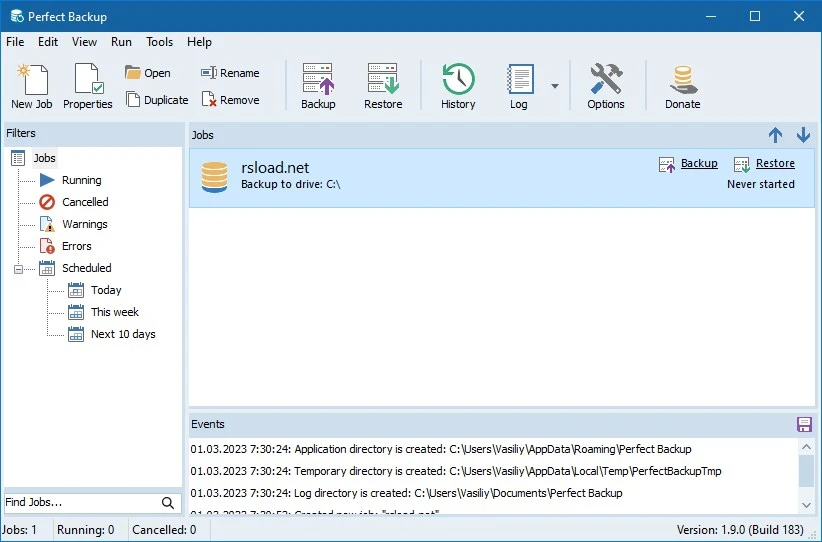
The UI is user-friendly, and a built-in wizard guides you through the process step by step. You pick files and folders for Backup, and specify filters as needed—it’s simple to use, even for first-time backup enthusiasts.
Features:
- Backup to local, network, FTP, or cloud storage.
- Various forms of copying
- Schedule according to time and day.
- Encrypting archives using a password
- Compress files using selectable compression settings.
- Filter by file extensions.
- Step-by-step setup wizard.
This is a decent tool for individuals who require automated backups with minimal effort.
There’s also Macrium Reflect, which offers more powerful features, particularly for disk imaging and cloning, though it takes a little longer to figure out. Duplicati is entirely free and open source, and it also provides cloud backups and encryption, although the user interface is average.