10MyLanViewer Enterprise is a robust, adaptable network management and monitoring software that enables IT administrators and professionals to manage and monitor local area networks (LANs) effectively. The program excels at providing extensive insights into connected devices, sharing status updates, and offering troubleshooting and maintenance tools, all while maintaining an intuitive, user-friendly interface.
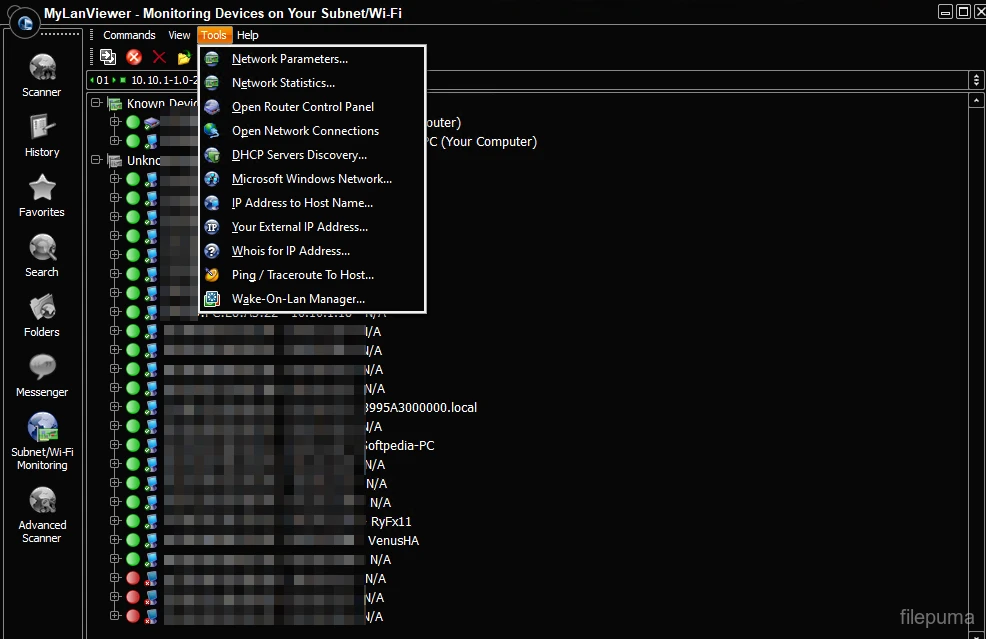
Key Features of MyLanViewer Enterprise:
1. LAN scan and network mapping.
Comprehensive Network Discovery: Automatically scans the entire LAN to identify all connected devices, including PCs, routers, printers, and other network hardware. Detailed Mapping: Creates a visual depiction of the network structure, making it easier to understand device connections and settings. MAC Address and IP Tracking: Displays key device information, including IP address, MAC address, hostname, and workgroup/domain membership.
2. Remote Management
Remote Device Monitoring: Administrators can remotely monitor device operations to ensure maximum performance and security. Wake-on-LAN (WOL) allows administrators to remotely activate network devices, which is particularly beneficial for maintenance and troubleshooting. Remote Shutdown/Reboot: Allows you to remotely shut down or reboot networked machines, easing administrative procedures.
3. Network Monitoring
Real-time device monitoring: Continuously monitors the status of networked devices, including whether they are online or offline. Alerts and notifications: Sends alerts when devices are added or withdrawn, or when network characteristics fall outside of usual limits. Bandwidth monitoring: Monitors bandwidth utilization for each device, enabling managers to detect excessive usage or resolve network congestion.
4. File Sharing and Management
Shared Resource Discovery: Displays a list of network-wide shared folders and resources for easy, secure access. Folder Browsing and Access: Enables simple browsing of shared directories without extra tools. File Transfer: Enables secure, efficient file transfers between networked devices.
5. Security and Troubleshooting Tools
Port scanning: Detects open ports on devices, a critical step for security audits and vulnerability assessments. Network diagnostic tools include ping, traceroute, and other utilities for diagnosing network issues. Blocking features: To avoid potential security breaches, you can restrict unwanted devices from connecting to the network.
6. User-friendly interface.
Dashboard Overview: Provides a simple and user-friendly dashboard for quick access to network information and tools. Customizable Settings: Users can set scan intervals, alert levels, and other parameters based on their needs. Multilingual Support: Supports several languages, making it available to a global audience.
7. Organizational Permissions and Features.
Enterprise-level support: It offers extensive support and scalability for bigger networks. License management: It provides solutions for managing and auditing software licenses throughout the network. Integration options: It can be linked to other enterprise IT systems to streamline operations.
Benefits of MyLanViewer Enterprise
Comprehensive functionality: A flexible solution for network management and monitoring.
Ease of use: Requires minimum training to operate correctly.
Affordable: Provides a robust feature set at a competitive price.
High compatibility: Supports a variety of Windows operating systems and hardware.
Conclusion
MyLanViewer Enterprise is an indispensable tool for IT managers seeking a dependable, efficient, and user-friendly solution for controlling and monitoring LAN settings. Whether it’s diagnosing network issues, maintaining device security, or optimizing performance, its vast feature set makes it the perfect solution for businesses of any size.