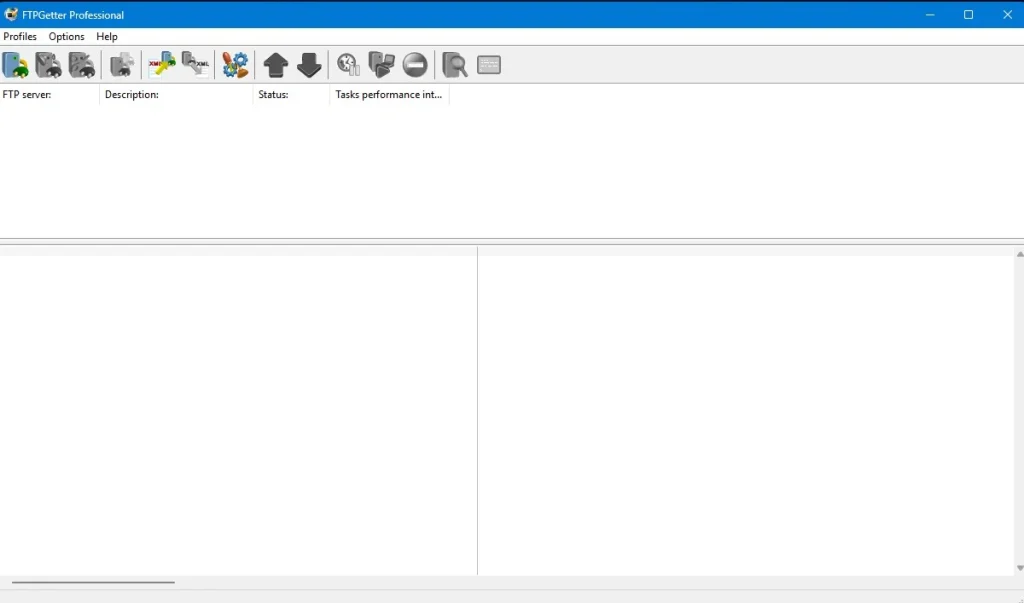
FTPGetter Professional is a powerful software solution that automates file transfers between local and remote servers via FTP, FTPS, SFTP, and WebDAV. It is suitable for users who need to handle frequent file uploads and downloads in a secure, efficient, and automated manner.
Key features:
FTPGetter Professional enables users to schedule file transfers for specific times or intervals. Users can automate repetitive FTP actions on a daily, monthly, or custom schedule to save time and reduce human effort.
The software supports many file transfer protocols, such as FTP, SFTP, FTPS, and WebDAV. This allows you to connect to various servers and services while preserving data transfer security.
FTPGetter Professional offers advanced task scheduling, enabling users to create complex file transfer processes. This involves arranging multiple transfers at different times, specifying time windows for each transfer, and setting up recurring tasks.
Batch file transfer allows users to automate the transfer of many files or folders. FTPGetter enables users to execute multiple transfers in batches, eliminating the inconvenience of transferring files all at once.
FTPGetter Professional provides safe data transmission over FTPS and SFTP protocols, including encryption.
FTPGetter supports file and directory synchronisation between local and remote sites. This ensures that server files are up to date with local files, and vice versa, making it an effective tool for backup maintenance and ensuring consistency across environments.
FTPGetter provides comprehensive reports on file transfer activity, which are helpful for troubleshooting. If an error occurs, the software can be set to automatically handle it, such as retrying the transfer or issuing a notification.
The program’s user-friendly interface simplifies complex file transfers. Users can set up and handle FTP tasks without advanced technical knowledge.
FTPGetter Professional integrates with standard cloud storage services, including Google Drive, Dropbox, and OneDrive. This feature allows users to automate file transfers to both traditional servers and cloud storage, boosting the software’s versatility.
FTPGetter Professional’s file compression feature saves bandwidth and speeds up file transfers, particularly for large files.
Uses:
Backup options include scheduling frequent backups of key files and folders to distant FTP servers or cloud storage.
To manage your website, use FTPGetter to update files and keep your content regularly up to date.
Remote file server management involves transferring logs, reports, and other vital data between local and remote servers.
Cloud File Synchronisation ensures smooth file management by automatically synchronising local storage and cloud services.
Conclusion:
FTPGetter Professional is a feature-rich, user-friendly, and secure solution for automating file transfers. Whether it’s for organisations backing up crucial data, developers managing websites, or people synchronising files with remote servers or cloud services, FTPGetter Professional is an effective and dependable solution. Its support for numerous protocols, scheduling, error handling, and synchronisation enables it to handle a wide range of file management requirements with ease.