FanControl allows you to monitor all aspects of your graphics card and CPU fans. The libraries used are LibreHardwareMonitor, MaterialDesignInXamlToolkit, and NvAPIWrapper. The app’s primary objective is to give you complete control over maintaining the appropriate temperature in your workplace. You may adjust the fan control response using steps, activation %, reaction time, and hysteresis. The app includes a simple fan curve editor. You can add, delete, and move points on the graph, as well as copy and paste them between graphs. You may also tailor the response by setting the hysteresis and response time settings.
FanControl is an easy-to-use, straightforward tool ideal for anyone fed up with the noise from their computer’s cooling system. Control it, and you’ll be happy—your wife won’t be whining at night that your computer is still working, unlike you.
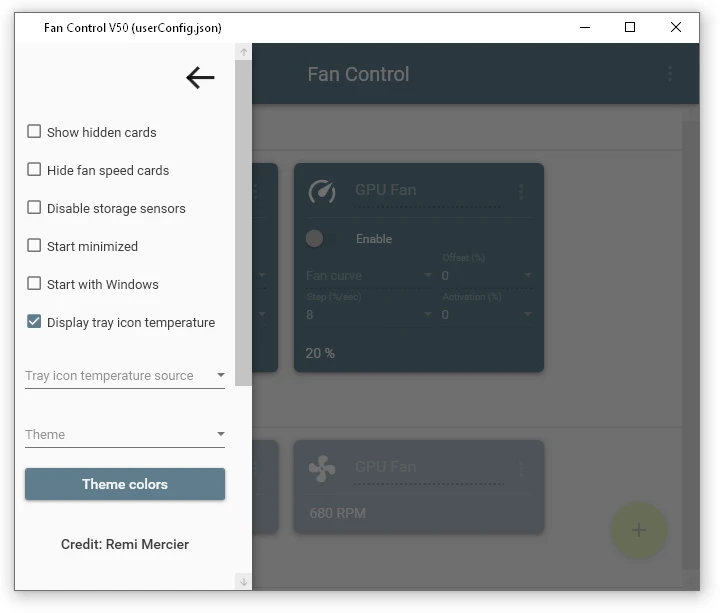
Peculiarities:
- The key feature is the ability to create custom curves. This enables you to correlate the speed of any fan with the temperature of any sensor (CPU, GPU, motherboard). You can construct unique curves with a few clicks, such as having fans run at 30% below 60°C, then faster, and so on.
- There are plugins; connecting them allows the application to work with any hardware, including Corsair, NZXT, and other manufacturers’ controllers.
- You can create and switch between profiles. This is useful, for example, if you need to create a quiet profile for business and a high-performance one for gaming.
- All information on component temperatures and current fan speeds is collected in a single, compact manner.
- The program does not require installation and adds no unnecessary files to the system.