Meet Directory List and Print, a tiny utility. Launch it, scan an entire disk or folder, and save the results in any available format. You can save the findings in a variety of formats, including web pages, PDFs, prints, and Word documents. You can learn more and download the program below, where we’ve provided a thorough breakdown.
The application comprises just a single executable file (I discovered it while exploring directories on the 0-day FTP “bay”). It is simple to use: launch it, select the folder/disk to scan, and that’s it.
More: the utility does not require registration (Pro version capabilities are enabled), as it has already been “cracked” by the LAXiTY team. For those who are concerned, more information is available: KIS 2014 made no response to it, instead adding it to the group with minimal constraints. One more thing: it’s “packed” with ASPack, so it’s smaller than the “trial” version.
Before scanning, you can fine-tune its parameters on the second tab (2. Selection). If you wish to include clickable links on the results page, tick “Include path in file name” in the options. I also recommend unchecking the last checkbox on the Setup page to prevent the application from automatically initiating the scan. This is useful when scanning folders with a considerable number of files. Furthermore, on this page, you can activate or disable the Open in Directory List + Print option in the context menu of all folders, which can be beneficial if you don’t want to launch the program (you must run it as an administrator).
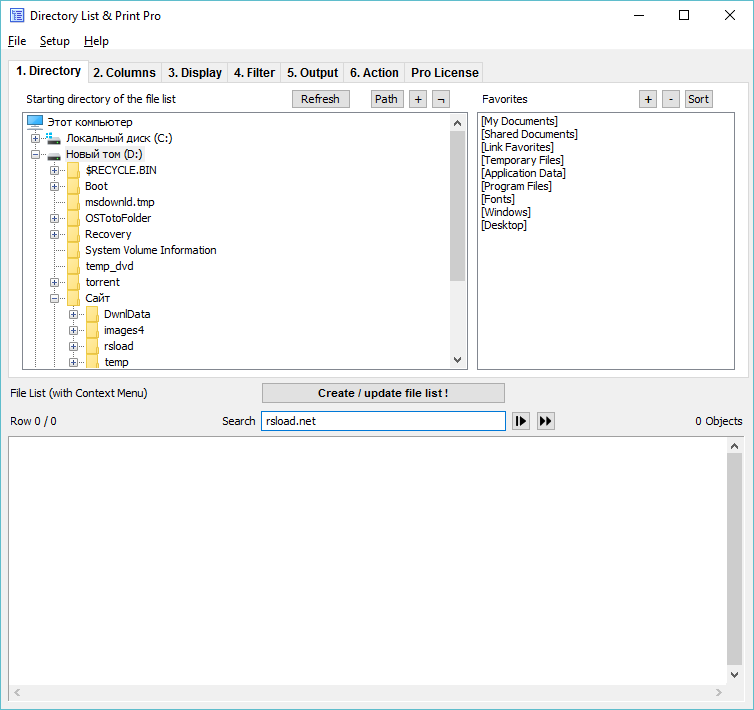
So, here are the output-saving options: – Print (printer choices) – Copy to clipboard. – Open the findings in Notepad.
- Save in an office format (Word, Excel, XML, CSV, or TXT). – Web page (with clickable links to directories and files if properly configured)
That’s the description; the program is quite user-friendly (I forgot to mention that you can customize your own web page styles); however, there is no Russian-language version on the website, and translating it would be difficult, as it’s “packed” with Solodovnikov’s compressor. Overall, the tool will be helpful; download and use it.