Ashampoo Burning Studio for Windows is a comprehensive disc creation and backup software that makes burning, ripping, and safeguarding your data easy and dependable. It addresses the requirement for a comprehensive multimedia and backup toolset by combining Blu-ray and DVD authoring, audio ripping, disc encryption, and multi-disk backups into a single, streamlined interface. Built-in editors, autoplay/menu builders, and batch operations help both novice and experienced users. At the same time, advanced features such as AES-256 encryption and disc-spanning support professional requirements for secure archives and large-scale data collections.
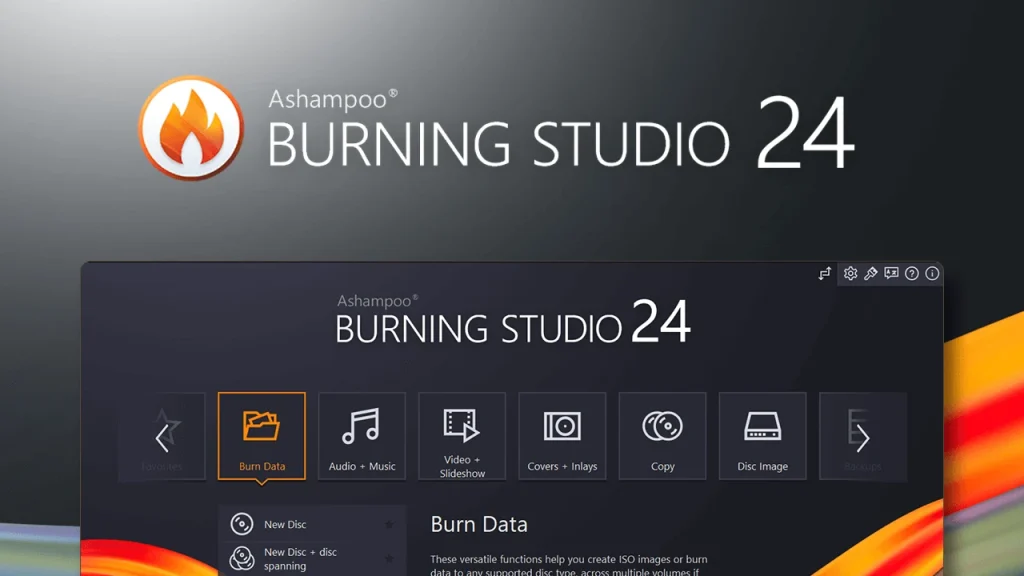
Key Features of Ashampoo Burning Studio:
- AES-256 Disc Encryption: Use industry-standard AES-256 encryption to prevent unauthorised access to backup files.
- Multi-Disc Backup & Spanning: Automatically split large backups across multiple discs so that you can store extensive archives without manual effort.
- Audio CD Ripper with Artwork: Rip audio CDs and automatically obtain cover artwork and metadata for well-organised music libraries and disc projects.
- Create Blu-ray and DVD video discs with Full HD capability, integrated encoding, and professionally designed menu layouts.
- Autoplay, Menu Editor: Create interactive, self-starting data discs with multi-page menus that point to files or web pages for easy disc navigation.
- Bootable Disc and Autostart Creation: Create bootable and autostart discs for system recovery, installation media, or portable tool sets that provide reliable boot support.
- Image File Creation & Management: Create, view, convert, and burn disc images (ISO, CUE/BIN, ASHDISC) for adaptable virtual and physical media workflows.
- Mobile Device Backup Support: Backup smartphones, tablets, and other mobile devices fast and easily with one-click export and device compatibility across several platforms.
- Backup Compression and Passwords: Use file compression, password protection, and user-defined splitting to secure and optimise backup storage across multiple media.
- 1:1 Disc Copy and Cover Design: Make accurate disc copies and create printable booklets and covers using integrated templates, scanning, and layout tools for professional results.
Why Choose Ashampoo Burning Studio?
Ashampoo Burning Studio offers a well-balanced blend of user-friendliness and advanced authoring features suitable for both home users and experts. The 2026 upgrades enhance Blu-ray capability, performance, and 64-bit compatibility while maintaining a straightforward, wizard-driven interface for simple tasks. Built-in encryption, multi-disc backup, and powerful ripping capabilities eliminate the need for multiple utilities. At the same time, integrated editors let you create menus, slideshows, and audio projects without extra software. Choose Ashampoo Burning Studio for dependable disc production, secure backups, and rapid multimedia authoring under Windows.
Benefits of Ashampoo Burning Studio Portable Edition:
The portable edition installs nothing and leaves the Windows registry intact, allowing you to transport the application and its projects on a USB flash drive. Launch the suite across many workstations for on-site burns, client demos, or recovery operations without altering host systems or leaving configuration traces.