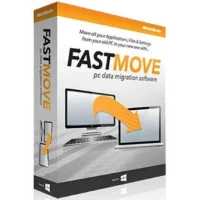
Upgrading to a new Windows computer should be joyful, not stressful. FastMove eliminates the stress of data migration by transferring files, directories, software, and settings between PCs with no hassle. There will be no more searching through external drives or painstakingly reinstalling each application. Launch FastMove on both your old and new PCs, select what you want to move, and let the software handle the rest. Your programs maintain their licenses and preferences. Your documents arrive exactly where they should. Get your new PC up and running quickly, reliably, and without technical difficulties.
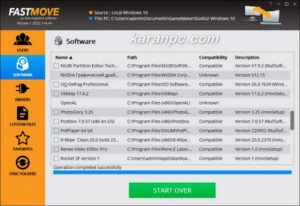
Features of FastMove:
Fast and Lossless Data Migration for Windows PCs.
Do you have a new computer and wish to transfer all of your files, folders, software, and settings to it? While you can use a basic USB stick to transfer files between two computers, transferring all of your settings, software, and drivers without losing any data is a different story. Whether you’re moving data to a new computer or upgrading to an SSD, FastMove makes the process quick, simple, and reliable.
Move programs to your new computer.
Installing all of your software on your new computer requires a significant amount of time and effort. FastMove eliminates the need to re-download and reinstall all your applications one by one, then spend hours tweaking all the options. Select the applications you wish to transfer to your new computer and leave the rest to FastMove.
Migrate user accounts and settings.
When you first start using a new computer, you may notice that things do not work as you would expect. To fix this, you could either start from scratch with Windows settings or use FastMove to move all user accounts and settings from the old to the new PC. You’ll be able to seamlessly transfer your user data, passwords, desktop settings, and more. Your configuration will effortlessly transfer to the new PC.
Transfer Device Drivers
FastMove eliminates the need to install device drivers on your new Windows machine manually. Select the drivers you want to transfer, and FastMove will handle the rest. You will be able to utilize all of your devices right out of the box, with no driver conflicts.
Move your custom files and favorites.
With FastMove, you don’t need to upload files to the cloud or copy them to a USB drive. All of your personalized files, folders, and browser favorites will be copied to the new PC in a single step. It’s quick, efficient, and completely reliable.
Keep your folders in sync.
If you think you’ve lost track of your files and folders, FastMove’s Sync Folders feature can help you find them. It allows you to sync and combine folders between PCs as well as locally. Select two places, and FastMove will scan them to determine which files are changed or missing from one. You can then select which files to copy between the two folders.