This is 7-Zip, the archiver I use constantly on my computer. It works in combination with WinRAR, and each is useful in its own way. This one has several advantages: it is absolutely free, supports Russian out of the box (RAR does, but you must wait for it to be translated during updates), and uses its own 7z format, which frequently surpasses both RAR and ZIP in terms of compression.
You can download 7-Zip from the link provided below. The installation is simple and uncomplicated, and there is a portable version, so you should be able to figure it out yourself.
It all appears to be simple, with no bells and whistles, which is a positive rather than a drawback in my opinion—the simpler the better. After installing the archiver, it appears in Explorer’s context menu. When you right-click a file, you can quickly unzip or compress it. This implies you won’t have to open the program each time. It has been translated into a variety of languages, including some quite obscure ones.
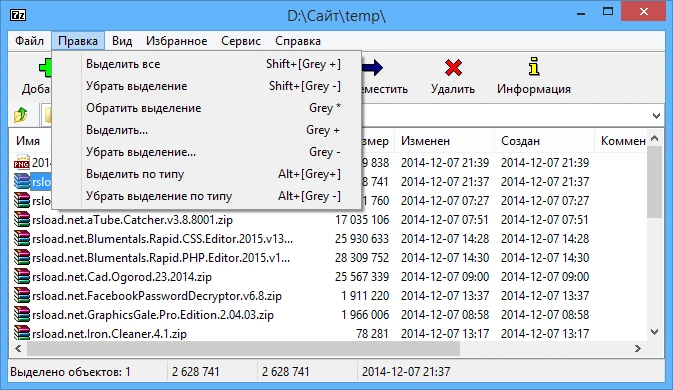
Compression is excellent, with support for a variety of unpacking formats, including tar, gz, iso, cab, and others, as well as compression formats such as 7z, zip, and tar. Archives can be encrypted using AES-256, a very secure method. There is also support for self-extracting 7z archives, which means the recipient does not need an archiver to view the contents. The built-in file manager is also available, and you can manage files from the command line if you like. There is also a FAR Manager plugin; perhaps the dinosaurs remember that.
LZMA, LZMA2, PPMd, BZip2, and Deflate are all compression algorithms that are appropriate for their respective applications. If you need to transfer a large file and your network is limited, you can divide the archive into smaller pieces—a useful tool.
Peculiarities:
- entirely free and open source.
- The 7z format offers a high compression ratio and supports many decompression methods.
- AES-256 encryption for 7z and ZIP.
- There are two types of interfaces: graphical and command-line.
- Integrating into the Windows context menu and breaking archives into pieces.
- self-extracting archives.
- FAR Manager plugin support
Remember that there is no built-in antivirus, so if you obtain archives from untrustworthy sources, scan them with your antivirus before unpacking. I recommend Peazip.