Total Network Inventory is software that inventories machines on a local network. Assume you have dozens or hundreds of machines in your business and want to know what’s on each one, what hardware it has, and which software is loaded. The application will automatically collect all data. There is no need to go to each computer and record the settings in a notebook.
The interface is in Russian, which is a positive, although it may appear overwhelming at first sight due to the large number of buttons and panels. I recommend not being scared and instead using the built-in wizard; it will walk you through the entire procedure step by step. After a few scans, you’ll be comfortable with it.
Total Network Inventory is available for free download at the link below.
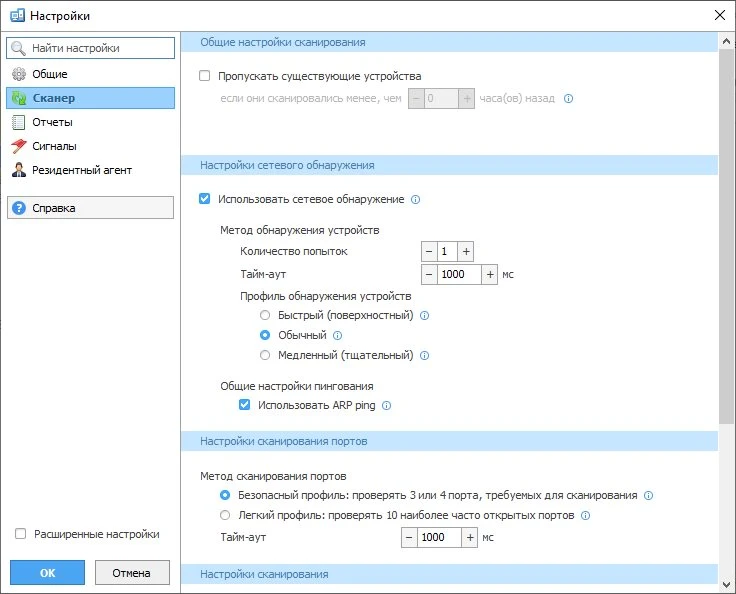
There are two scan modes:
- The first check only checks the computers that are currently online.
- The second one runs when users log in to the domain, so it collects data gradually as they turn on their machines.
- After scanning, choose the appropriate workstations, and the application will extract all information from them.
A massive quantity of data is gathered: motherboard, CPU with clock speed, physical and virtual RAM, video cards, monitors, hard drives, flash drives, printers, and keyboards. Software is also thoroughly examined, including the operating system, installed apps, and updates.
You can search the whole database and generate customisable reports with only the fields you require. Assume you want to find out which PCs have less than eight gigabytes of RAM or are running an outdated version of Windows. Just a few filters and you’re done. The software can scan not just Windows devices, but also Linux, macOS, and network equipment via SNMP.