
Assume you downloaded an ancient game or application, but it is in .BIN format. Standard Windows tools do not recognize it, and you do not want to install UltraISO or Daemon Tools solely to convert. That’s where WinBin2Iso comes in: a little utility that performs one thing exceptionally well: converting disc images from .BIN to the standard, universal.ISO format.
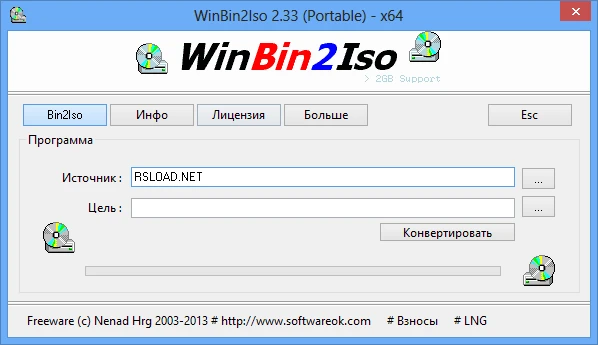
Features:
- The interface is basic because it consists of only two fields: Source and Target – no extra buttons.
- The application does not require installation; you can run the .exe file from anywhere.
- Conversion is speedy, with almost minimal CPU utilization.
- Large-file support is available, and it correctly handles images larger than 2 GB, which is helpful for older games.
- The program works flawlessly on all contemporary Windows versions, including Windows 10 and 11.
By the way, this is the portable version of WinBin2Iso. It does not require installation and can be run directly from a drive, leaving no traces in the system registry. Russian localization is available, and when you first launch, you will be presented with a license agreement. Accept it, and it will not trouble you again. The program is entirely free, and the developers specifically ask that you read it, though this is optional.
There isn’t anything to say about WinBin2Iso’s interface. It comprises one window and numerous tabs. We’re only interested in the one where you choose a BIN image and specify the folder where the ISO image will be saved. Then start the conversion and wait for it to finish. After that, you can use the new image however you want. I want to introduce you to this excellent utility. It’s beneficial because you don’t always need large programs to perform simple actions. Sometimes, a tiny one, like WinBin2ISO, will suffice.