
The Nero Blur Face: AI Motion Tracking Video Editor ushers in a new era of video privacy and personalization. This unique software lets you easily secure sensitive information in your films. Blur Face uses advanced AI motion-tracking technology to continuously track specific locations, ensuring that sensitive details such as faces, license plates, signs, or documents are concealed throughout your movie. This functionality is essential for content creators, vloggers, and anyone who has to maintain privacy standards or comply with data protection rules.
Once the sophisticated tracking is complete, you can choose between a faint blur and a noticeable mosaic effect for the desired locations. Nero Blur Face converts your recordings into compelling narratives while providing robust privacy safeguards. Easily add creative messages or captions with a variety of fonts, sizes, and colors to let your distinctive voice come through. Pre-designed clipart images from popular themes will bring creativity and flair to your edited videos.
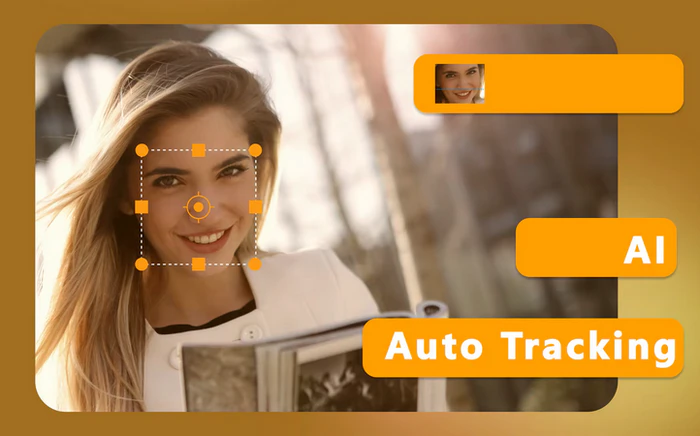
Features of Nero Blur Face: AI Motion Tracking Video Editor
Motion tracking
Continuously monitor a portion of the video and adjust its size.
Apply effects.
Apply a blur and a mosaic effect to the tracking area, and control their intensity.
Personalization
Enter text or clip art into the tracking box.
Export video.
Export the processed video in MP4 format, preserving its original quality.
Portable Nero Blur Face: AI Motion Tracking Video Editor
With its portable edition, you may use Nero Blur Face – AI Motion Tracking Video Editor from anywhere. No installation is necessary; run it from a USB device. On any PC, you may seamlessly track and blur sensitive information such as faces or license plates. Personalize captions and clipart while editing videos, making them really mobile and hassle-free.
System Requirements: – Windows 10 (14393.0 or higher) – DirectX 11 – Memory: 2 GB minimum, 4 GB recommended.