Seelen UI is a desktop shell for Windows 10 and Windows 11 that alters your desktop and does so effectively. One of our readers suggested this program, which turned out to be a great idea, so I thought I’d share it with you.
You can download Seelen UI for free, with no hassle.
After installation, the desktop becomes more organized, with a small panel sliding out to the side to store your favorite programs and quick settings. It looks attractive, in my opinion, and, more significantly, everything is easily accessible, removing the need to navigate to the Start menu.
Almost every feature can be modified manually, including the language, background, accent colors, and panel behavior. It can also hide, pop up when hovered, and resize. It has.
There are other fascinating features, such as a tiling window manager that runs a program and automatically fills any available area, as well as an auto-rearrangeable grid. No more dragging windows with the mouse and modifying borders, which is especially useful on a wide monitor or two.
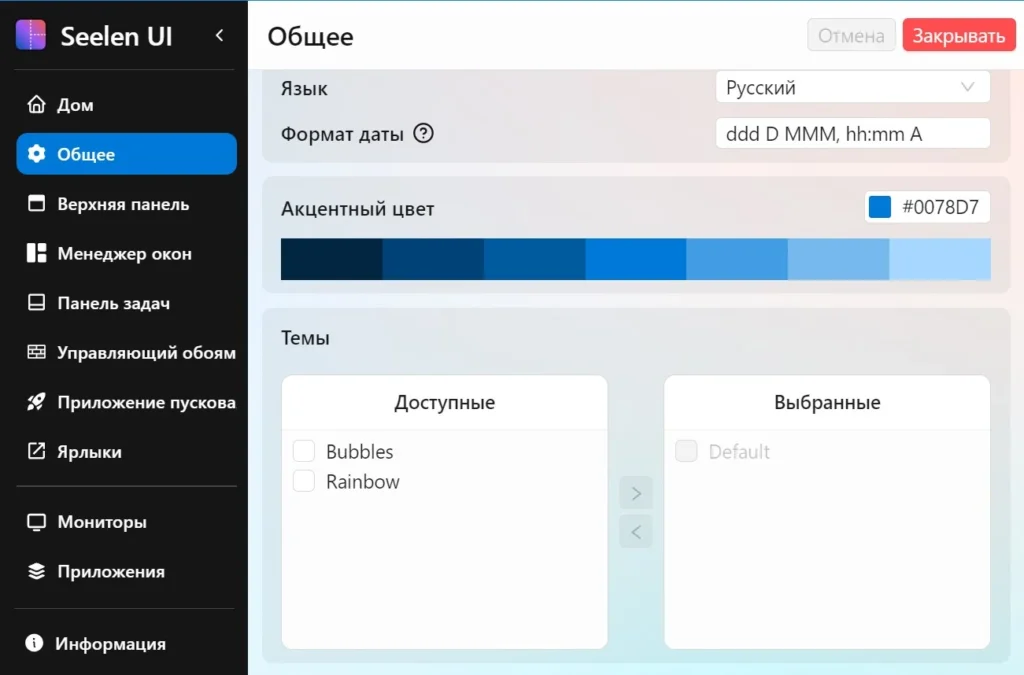
Hotkeys can be linked to any action. By the way, layouts are remembered across desktops, so your work and personal spaces do not mix.
You should be aware that tiling breaks the tendency of limiting things; it may feel weird at first, but if you’re prepared to push yourself, you’ll be glad you did. Additionally, on slower machines, transparency consumes memory.
Pros:
- Automatic tiling of windows
- A panel containing pinned programs and settings
- Hotkeys for practically every action.
- Various themes, backgrounds, and accent colors to select from.
- Open source; no activation required.
- Support for Windows 10 and 11.
Answers to Questions:
Will the native taskbar remain?
Can it be concealed, and Seelen replace it? Will it
Can you break anything in the system?
No, it runs on top, and once deleted, everything returns to normal.