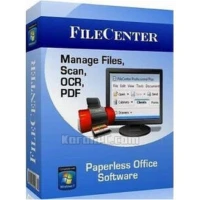
Tired of dealing with untidy files and crowded desks? Lucion FileCenter Suite is ready to revolutionize your workflow! This easy-to-install, easy-to-use software is designed for both home and professional users, providing a complete solution for scanning, archiving, organizing, and finding computer files with ease.
FileCenter Suite provides a unified, user-friendly interface filled with time-saving capabilities. Whether you’re scanning documents, organizing archives, or searching for files, FileCenter simplifies the process and helps you achieve a truly paperless office.
Are you ready to take control of your documents and increase productivity? Download and install Lucion FileCenter Suite right now! Once you’ve experienced it, let us know how the review compares to your experience. Did we cover all of your favorite features? If you notice anything missing, please leave a comment below. Begin your journey to a paperless office today!
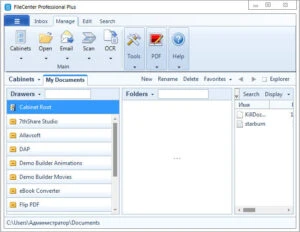
The portable version of Lucion FileCenter Suite, which is saved on a USB drive, provides ease and versatility. It enables simple access to documents on the go without requiring internet access. Users may organize, modify, and securely save files to increase productivity while keeping data accessible and secure at all times.
Features of the Lucion FileCenter Suite
- Scan to searchable PDF in one click.
- Make files searchable with OCR.
- Scan immediately into a word processor.
- Combine PDFs with drag-and-drop
- Split PDFs without opening them.
- Move pages between PDF files.
- Convert practically every file into PDF.
- Automatically separate and save scans.
- Organize files into file cabinets.
- Save files straight to File Center.
- Preview the files without opening them.
- Find files using full-text search.
- Encrypt or securely shred any file.
- Email files as PDFs.
- Archive Outlook email to a file.
- Organize files by Outlook contacts.