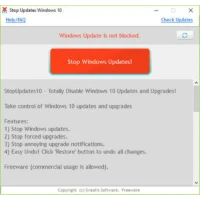
Tired of Windows 10 updates that disrupt your work? StopUpdates10 is a simple and effective solution that lets you effortlessly stop or enable Windows 10 updates as needed. This tool is especially essential because Microsoft often modifies how Windows Updates work, making earlier update-blocking solutions worthless. If you’ve encountered slowdowns and slowness as a result of automated updates, even after using other similar applications, StopUpdates10 is a solid option.
StopUpdates10 allows you to restore control of the update process. You can choose when and whether Windows Updates are installed, avoiding unnecessary interruptions and ensuring your system runs smoothly when you need it most. StopUpdates10 replaces irritating forced updates with a more reliable and predictable computing experience.
Are you ready to take control of your Windows 10 updates? Get StopUpdates10 today! To avoid slowdowns and ensure system stability, stop or accept updates.
Features of StopUpdates 10
- Normally, it would be difficult to determine how effective this app is. Still, we have the unusual advantage of knowing that Windows Updates continues to run within five minutes of starting VMware. We are pleased to report that updates have stopped. We waited 30 minutes to make sure.
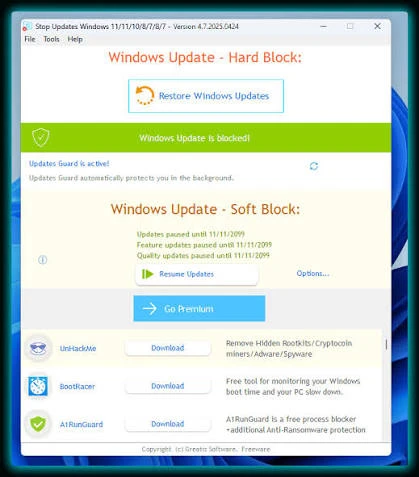
- StopUpdates10 requires installation but is easy to use. By default, you should see the message “Windows Updates is not blocked” in red letters and a red button labeled “Stop Windows Updates!”. Once banned, everything is inverted and in green letters, with the message “Windows Updates is blocked!” and a button labeled “Restore Windows Updates.” Greatis also provides links to their other gratis products, including UnHackMe, BootReacer, Anti-WebMiner, and Edge Reset Button.
System requirements:
Microsoft Windows 11/10/8/7 (32/64-bit)