InstallerClean is a software that removes garbage files left behind after installing or updating programs in Windows. This approximately 100-meter-long application detects and eliminates hidden files left behind after installing or updating Windows programs. The system keeps these files for years, but they are useless.
The program is free, thus no license keys are necessary.
It is accessible in Russian. The UI is simple but elegant, with a dark theme. A list of installation files, along with their sizes and marks, is easily viewed, making it evident whether they can be removed. At the end of the scan, the anticipated free space is given, along with a concise description of the cleanup.
The scan begins immediately upon launch, however deleting or transferring files always requires confirmation. Before deleting anything, you’ll see the amount of files and their overall size.
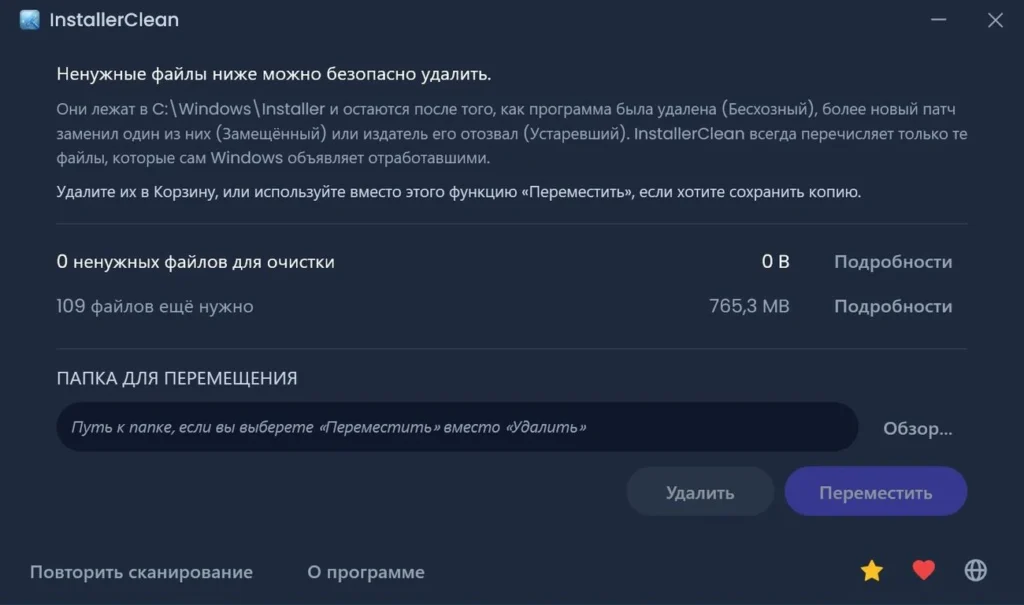
I would also want to stress security: the utility does not delete files at random. After launch, it searches the Windows installation folder and directly queries the system using the built-in installer mechanism to discover what can and cannot be uninstalled.
According to the inventor, the software checks for two categories of junk: orphaned files that are no longer in use by the parent program, and old patches that have been replaced by newer versions. The system has already been updated to the most recent versions, and old files are simply lying around unused.
I recommend utilizing InstallerClean on occasion or after a major program reinstallation.
Features:
- Features include automated scanning at startup and confirmation for file deletion and movement.
- Before deleting, do the built-in Windows system check.
- Search for orphan files and obsolete patches.
- Post-cleaning report
Analogues:
CCleaner provides more extensive cleaning functionality.
PatchCleaner serves a similar goal, although the interface is less appealing.