FastCopy Pro Overview
This popular file-copying software is quick, dependable, and simple to use. Whether you’re a casual user looking to copy a few files or a professional needing to transfer vast amounts of data, FastCopy Pro has you covered. It runs automatically after determining whether the copy’s origin and destination HDDs are the same physical HDD.
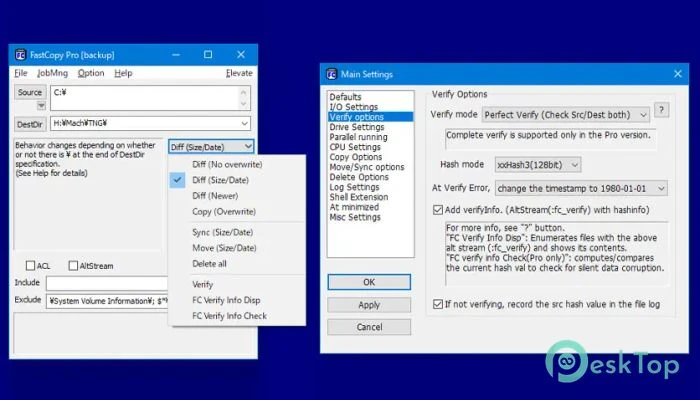
Features of FastCopy Pro:
Uses complex algorithms to copy files at breakneck speed. It can transfer files at up to 8GB per minute.
Allows you to copy several files at once. You can select a group of files and copy them all to the same destination folder at once.
If your file copying operation is interrupted, FastCopy Pro will resume copying where it left off. This is a useful tool for copying huge files or when your network connection is shaky.
Checks the integrity of copied files to ensure they are identical to the originals. This feature helps to protect against data loss and corruption.
It offers a customizable user interface that lets you personalize the tool to your individual requirements. You can modify the toolbar, select your favorite language, and change other options.
System Requirements and Technical Details
Supported operating systems include Windows 11, Windows 10, Windows 8.1, and Windows 7. Recommended RAM capacity is 2 GB (4 GB).
Free hard disk space: 200 MB or more.