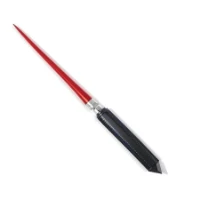
I’d want to point out right away that this simple application should appeal to users who frequently deliver presentations, such as in PowerPoint or other programs. These people understand that handling a little mouse pointer on a wide screen is inconvenient; it’s simple to lose it, which can be embarrassing. To avoid this, get PointerStick from our project (see the full news post), and all issues will be resolved immediately. When you run the app, the cursor changes to a larger pointer that is easier to control, always visible, and instantly clears what you’re pointing at, guaranteeing you never get lost in the interface.
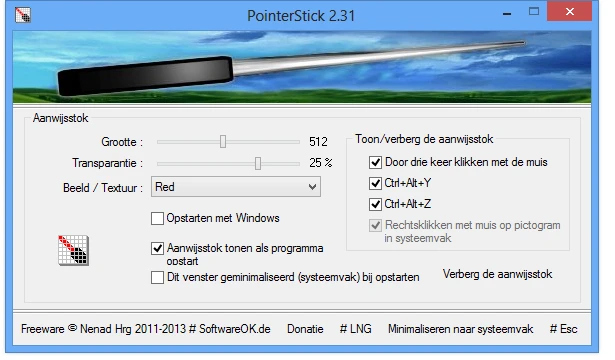
The settings utility is simple but lets you adjust the pointer size if you’re not satisfied with the default and want to tweak its appearance further, making it larger or smaller. You can also change the pointer’s transparency and select a texture. The PointerStick developers have thought of you and have already built many structures for you to choose from. This cursor type can be hidden at any moment and quickly triggered by tapping specific keys.
PointerStick takes up very little space on your hard drive. It is fully portable, so you can easily transport it on a drive. It leaves no trace in your registry and stores all settings in an .ini file. You will also not experience any CPU burden, be able to alter the pointer size, and have access to approximately ten texture presets. You can also change alpha transparency. So, this is the development you’re looking at. I hope PointerStick can help you with your presentation. Don’t forget to post comments, but don’t dismiss it as a gimmick. Perhaps individuals who work with these types of documents may recognize their usefulness. I forgot to note that it is bilingual, with Russian support available as well. That’s a brief overview. So, I’ll wrap up and, as always, wish everyone a good day!