ExplorerPatcher is a little utility for improving Windows 10 or Windows 11. It can modify the taskbar, Start menu, context menu, and running windows, such as adding rounded borders. Windows 11 includes a separate weather widget in the information section.
When customizing the taskbar, you can select the style for OS versions 10 or 11, as well as whether it should be at the bottom or the top. The Windows 10 design also allows placement on the left or right edge of the screen. The Alt + Tab task switcher is also customizable, allowing you to select the Windows 11/10 or NT style, or our own “Simple Window Switcher.” In File Explorer, you can switch between the new command bar and the ribbon menu, which was introduced in Windows 8, or you can reinstate the classic context menu.
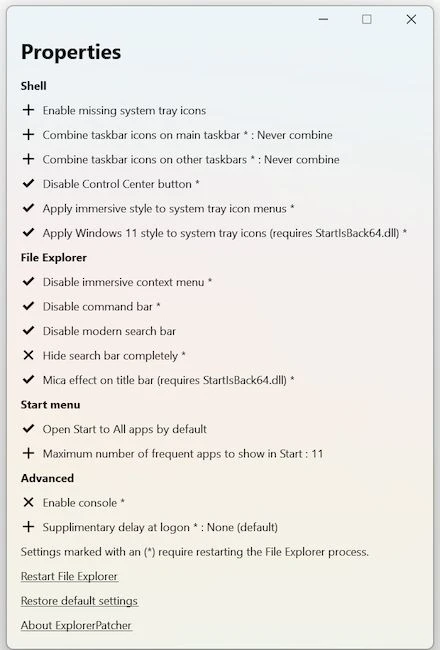
You can adjust the clock’s seconds, change the appearance of pop-up windows, edit the calendar, numerous sliders, and rearrange buttons and their behavior.
Settings are accessed via a straightforward English-language menu, which can be reached via “All Apps” or the new “Properties (ExplorerPatcher)” start menu item. Settings can be imported or exported. The “Restart File Explorer” button can restart File Explorer so that changes to the desktop environment can be applied without having to log in or restart Windows.
ExplorerPatcher is available for both Windows 10 and 11, each with a unique feature set.