
File Converter is a useful, quick file converter that runs from the context menu in Windows 10 and later. Whether you need to convert documents, audio, or movies, you’ll need to have a variety of programs on your computer. Several extremely cool converters support many extensions. One is right here; there’s no need to download a dozen tools for each task.
In short, I propose that everyone download File Converter for free from the URL provided in the news. You can also download a repacked version of the software, which is portable and installable.
It does not have a graphical interface; instead, it is firmly integrated into Windows Explorer and operates solely via the right-click menu. Select the files, right-click, and choose the desired format. This is convenient and expedites work. Remember that to work with Microsoft Office documents, you must first install the Office suite.
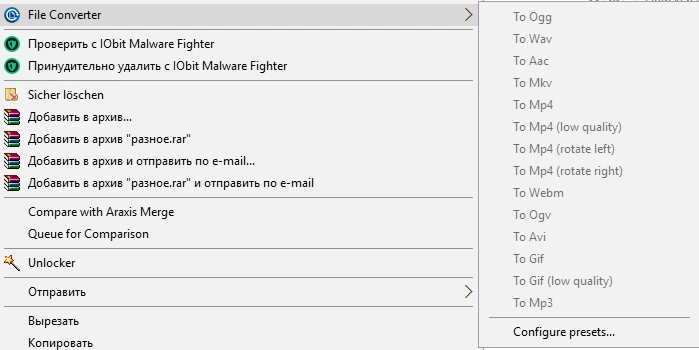
Key Features:
- Convert images to PNG, JPG, BMP, WEBP, ICO, and more.
- Transcoding video into current containers like MP4, MKV, WMV, AVI, or GIF
- Extract audio from clips and save as MP3, OGG, AAC, FLAC, or WAV.
- Features include built-in presets for efficient file processing and batch processing of entire folders.
The creator prioritized speed so that you can customize the compression level, audio quality, bitrate, and image scale in the settings. The app handles parallel processing quite well; you can define how many threads your processor supports at once, ensuring the system does not stall while converting large source files.
Similar apps:
Format manufacturer is a top-tier format manufacturer with a feature-rich and user-friendly interface, but it is significantly heavier.
Any Video Converter is ideal for working specifically with video and has a fantastic built-in editor.