X-Mouse Button Control: The program will upgrade our old mouse to include extra features. Even with mouse settings, the software is not particularly large. The program can be configured to run alongside other programs on the system. The buttons can be used in a variety of ways, as needed. X-Mouse Button Control Capabilities.
It works well with a variety of games.
Clicking allows for easy copying, cutting, and deletion. No keyboard is required.
Can be used to play music, stop, mute, increase or decrease sound, and more with the mouse.
It is available for Windows Vista, 7, 8, 8.1, and 10.
The program is small.
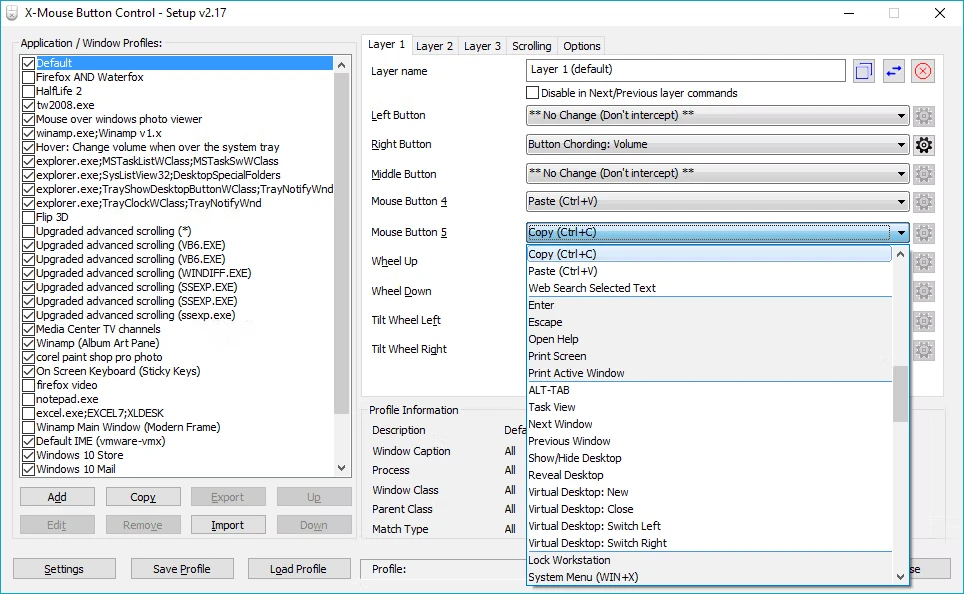
Requirements:- A mouse and driver that supports up to 5 buttons. NOTE: If your mouse has 5 buttons but the 4th and 5th buttons don’t do anything by default, XMBC may not be for you. This software relies on the driver to send the default 4th and 5th mouse button messages, which default to BACK/NEXT in browsers and other programs. Having said that, you can still remap the standard 2 buttons and scroll wheel.- A compatible version of Microsoft Windows. X-Mouse Button Control supports all 32-bit (x86) and 64-bit (x64) editions of Windows from Windows XP to 10, including Windows Server editions!